Ignite Zurich – Art – Rarity and the Web

I gave talk at the 1st Ignite Zurich (Dec. 2nd at The Hub Zurich) centered on art, rarity, and what that means in the context of the internet and web technologies. A big thank you to Inês Santos Silva for organizing, the night was an awesome inspirational event. Here’s a break down of the ideas I put into my talk…

The Value of Art

What is the value of art, why is it traded for money and why is it sometime considered priceless? The value of art is a combination of traditional supply and demand, rarity, and context. you can’t assign value to art without considering the context of it’s creation. the time and place, and how it fits in with the overall context of the art scene at that particular point in time, that will never come again. Yes, it’s possible that your five year old could have painted that, but they didn’t. Art is idea execution. If you were the first person to put your shit in a can and sell it, you would eventually command a price of over 100,000 USD, but if you do it now it’s just considered a strange precousur to insanity and generally socially unacceptable.

What is Art?

Art is a combination of having the new idea and executing it. Art is not an idea, it is the creation of something significant, just as an idea is worthless in a startup company that doesn’t execute it well. Facebook, Google, Apple, Microsoft all executed their ideas at the right points in time, but they weren’t necessarily the first. It doesn’t matter is someone “stole” your startup idea, it matters if a company was created from that idea. That’s the execution and beauty of it. Now, at this point in time you can launch your own social network, search engine, and software company, but it won’t have the same impact, unless it brings something new and is understood to be genius in the current context of the tech scene. It doesn’t matter if you paint a new Mona Lisa, the idea is done (and overdone and redone in reproductions).

The unique thing about art is that the work gets value at any point in time so long as it fits the context of the history of an art movement, or rather is a disruption. Vincent van Gothe died barely selling a painting. If it’s not discovered and put into context it’s worthless. This is why artists get discovered later on but younger artists are promoted more than older ones when they come onto the art scene. You want the work of the young artists before they become “big” but it’s just a gamble that that will actually happen. So, logically you should create some great work and then kill yourself, because this ensures that you won’t be able to produce any more excellent art. The first person to paint grey instead of blue and red and green would be considered amazing, and all the rest that follow will just be part of the movement. Without the movement, no one cares about the first one, it has no value.

Context vs Content

How can an artist create the context for the work to have value? Or should you just create things and hope that they have some value for other people? The Doktor of Science in me says you get to the heart of the beast and just create or engineer your own context to create value. A piece of art work is a container for an idea, it’s a physical execution of an idea that can be viewed and reinterpreted as needed by society. Nobody cares what the first design of Google looked like, we just want to use it. Maybe the first sketch will sell for a million dollars one day, like the first apple computer, but only because of the context of history. This is because on the internet content is king. People was to use the technologies of the internet, not just be influenced by the ideas.

The UX Perspective

One thing I learned from hanging out with people at the Zurch UX Book club is some of the psychology behind buying things. When things are rare, inside of you is triggered that, “buy it now” mentality. When you see there’s only a few things left in stock, you’re pressured to buy it now. This probably goes back to the natural instinct to collect things and then trade them later on for things you might want from other people, the beginnings of capitalism. So I thought, how can I create a “buy it now” context for my art? In a world of immersion and augmented reality, installations will be the containers. Will we really care if things are real or not? Will it matter if it’s the real Mona Lisa or not? The experience will probably become more and more necessary to have an impact, but we’re not there just yet.
Art Death Concept

The Art Death concept is an auction platform idea I started putting together after taking a professional artist seminar at the F&F Kunst Schule with Olga Stefan. To combine the ideas of art with value related to context and the percieved value of art increasing due to psychological tendencies related to rarity, the best thing is to create an auction where the context of value is engineered into the platform, or rather, the performance.

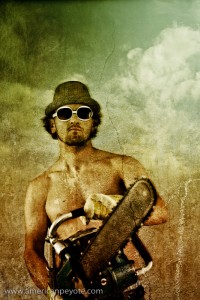
I can accomplish this by putting up my art for auction on a combined internet and real world platform, having a reserve bid for each piece and a time constraint. If the work doesn’t sell for the reserve price, I have to destroy it personally with various dramatic methods. Like taking a rusty chainsaw or a flame thrower and purifiying the world of my mistakes that don’t sell because they have no value to society. It will take some preparation to do this thing right, and I think some fundraising via Kickstarter is in order.
Berlin Notes: Bärenquell Brauerei Urbex

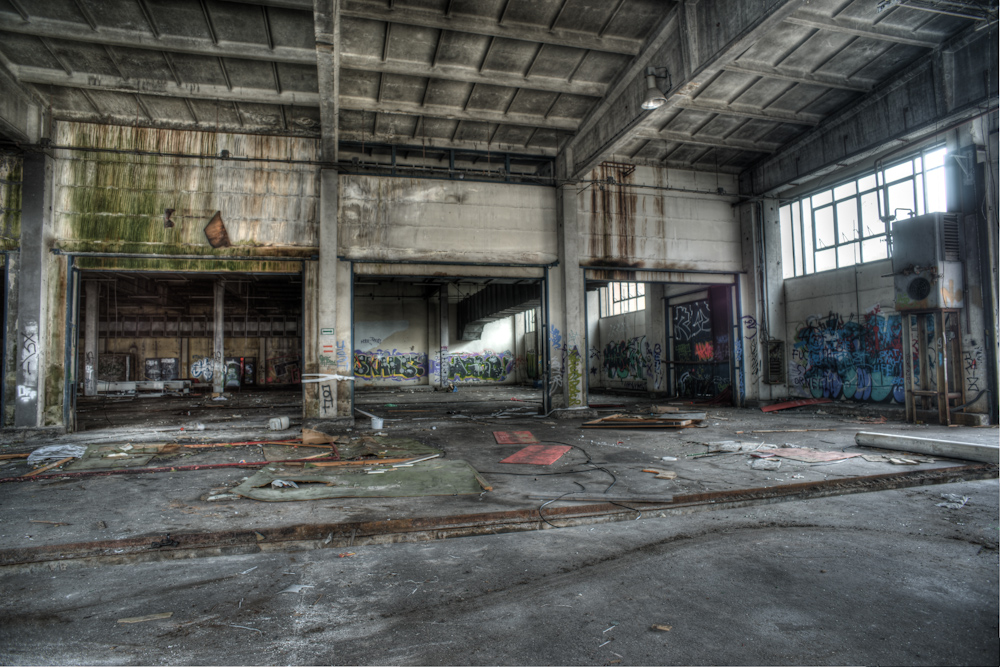
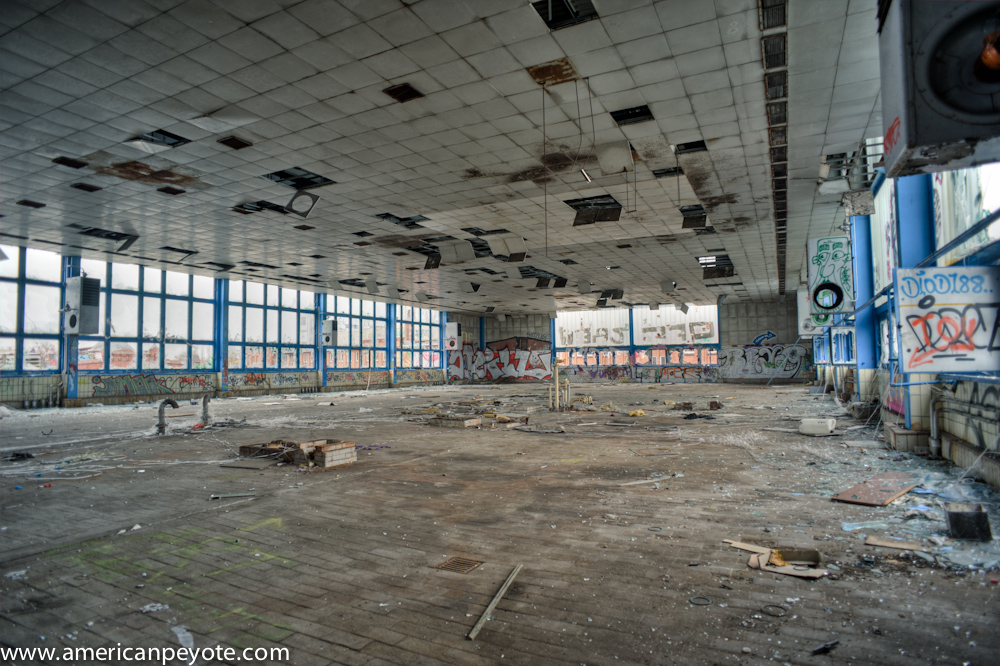
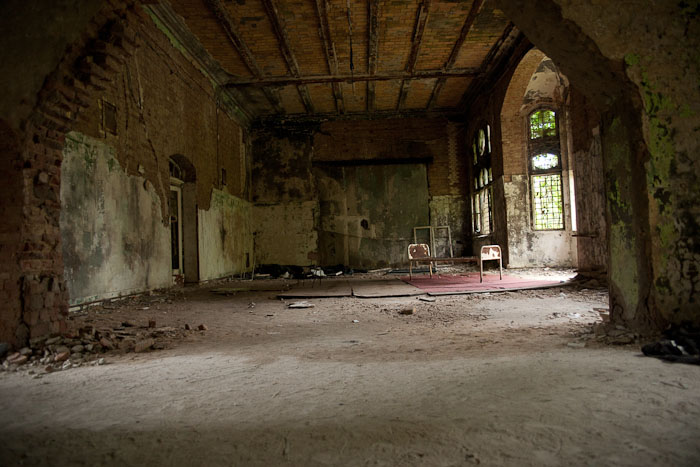
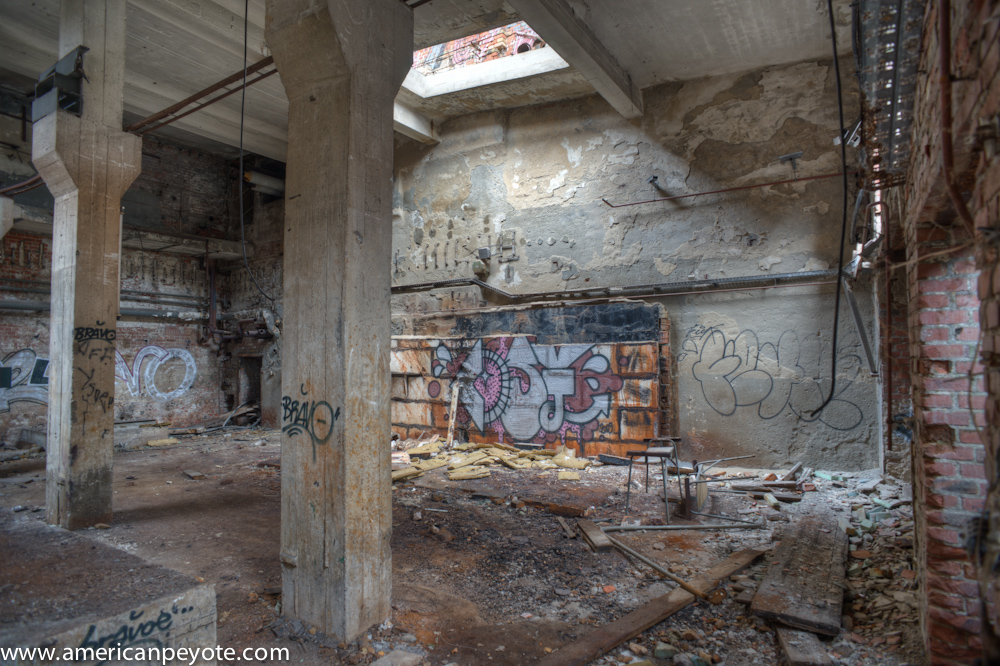
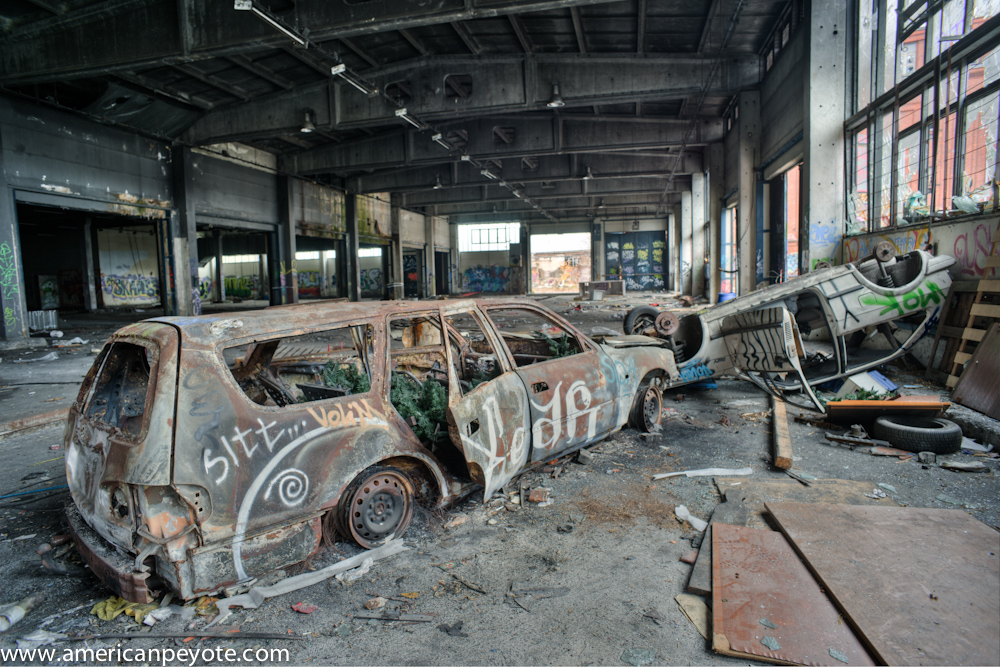
Back from Berlin, recovered from the flu, dreaming and scheming of something new, new, new.The But first, I worked on some images from the Bärenquell Brauerei, an abandoned brewery in former East Berlin. I found out about the place from Abandoned Berlin, a blog devoted to urbex in this fabulous European city. I wasn’t sure what to expect, but the place is like an urbex mecca, fabulous graffiti, old but not so old that it has fallen apart. I had a wonderful time there running around with my Cinevate Atlat FLT slider shooting video with my VG10 for the video poetry project with Bobby Cuevas.


Video Poetry Pre-Production

The video poetry project is in full pre-production chaos, perfect time to give an update on the process. I’ve been pulling ideas from the back reaches of my brain, shooting video, writing poetry, and listening to music from DJCue, all in an effort to build up the video poetry project. Here’s a breakdown of the pre-production journey so far, but first a recap. In July DJCue won the video poetry CreativeInvite contest on Talenthouse, where people submitted music and I picked one to work with. The goal of our collaboration is to create some original short films using his music and my video. How it has come together so far…

The Theme

The theme is as abstract as ever, and I want to pull together the main components together and produce some magic (I know, that sounds like a load of abstract bullshit). This allows me to start from a few different directions. For example, write a poem and try to storyboard a film from it, shoot random film footage and cut it to music and then add poetry, any variation of the two and everything in between. The reason I’m making this seem so chaotic is that I’m still experimenting with the video poetry work flow, and as it is when I stare down a blank canvas, I’m a little freaked out it will all suck in the end. I see video poetry as a format in between the Art Film and the Short Film.

In an art film you try to communicate some abstract concept without dialogue, and the result generally loops on a monitor in a gallery or installation somewhere (that you need to watch looping for two hours before you get a sense that you might perhaps – sort of, will eventually figure out what the fuck it is about). In contrast, the short film communicates a story in a compact timeline, but is more likely to include traditional elements like a script, shot list, planning, etc. What I want to do here is to have a combination of the two, communicate an abstract concept as you might find in my mind and the traditional film workflow (as I learned it from Vincent LaForet on CreativeLive). This is more inline with how I create images in Photoshop or painting, where I begin with a base image or idea and then build around and layer it, the result being something I didn’t necessarily plan for from the beginning. The elements we have to mix and layer are music (from DJCue), poetry, and video.

Music

The beauty of the video project is that DJCue handles the music production and I focus only the on video and poetry. Spinning in his bedroom/studio he mixes up productions for SoundCloud, Restorm and any manner of use in life in between. This adds a certain dynamic to the workflow, I don’t know exactly what he has in mind, he just creates stuff and sends it over, this challenges me to create poetry and video mixes which build on and complement his music. Check out his stuff on SoundCloud, Twitter (@therealdjcue), Talenthouse, and his blog.

Poetry

This is probably the most difficult part (aside from finalizing the final edit of the film). I hear music in my head, remixes of stuff from my past and I get inspiration to put words together, ending up in what you might call poetry or spoken word. But the words sometimes have a tempo of their own, and don’t always mix so well with music when I try to put them together later on. Visual imagery also has it’s own tempo, and if you start by just shooting from a story board, chances are you won’t end up with the right mix between the music and the words, I guess this is the conundrum from whence the profession of film editor arose from. My feeling is that it’s best to start with the visual arrangement in flexible blocks (let’s call them mini scenes) and then add the audio in the studio after adding in the soundtrack.

Tools

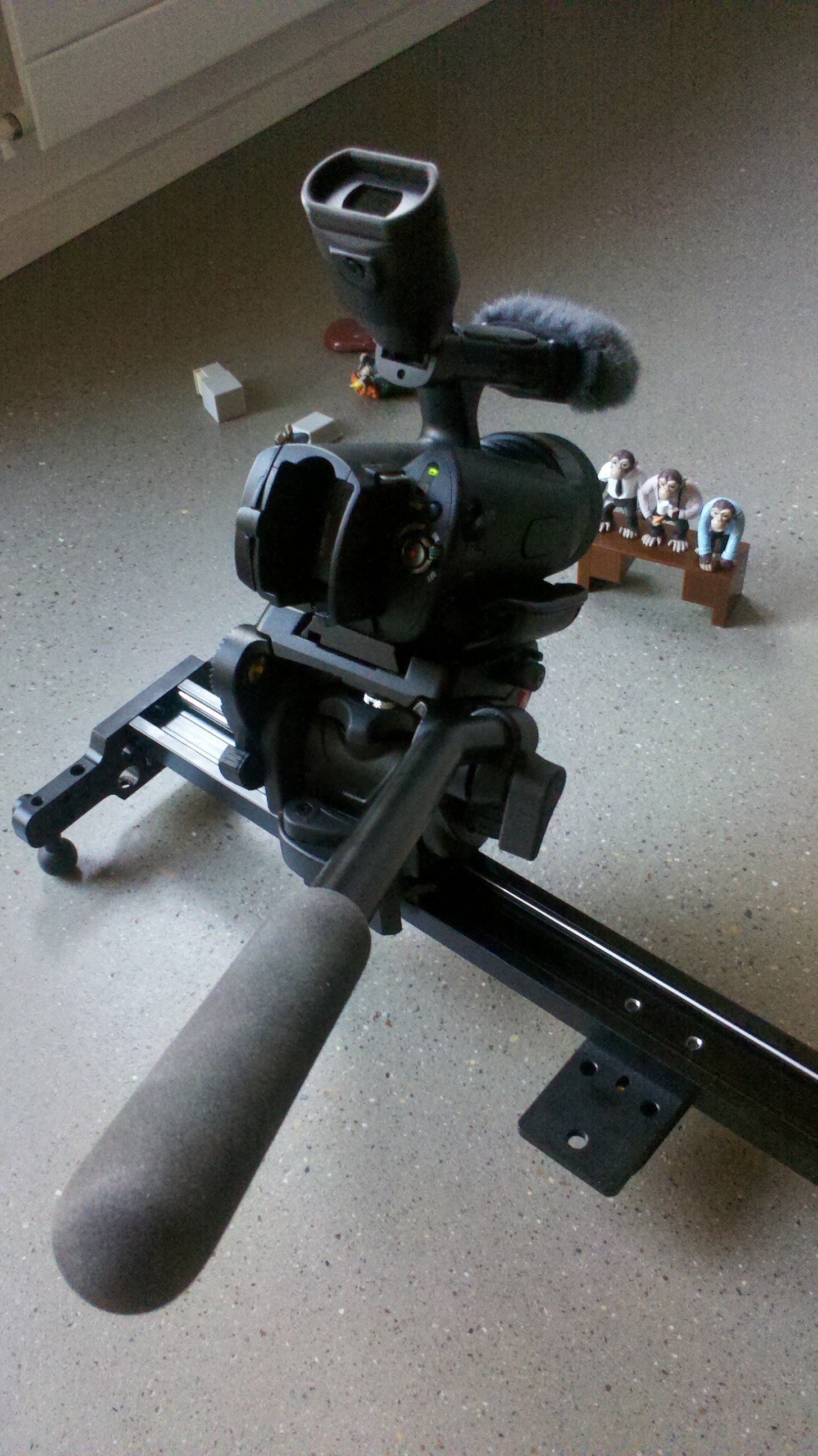
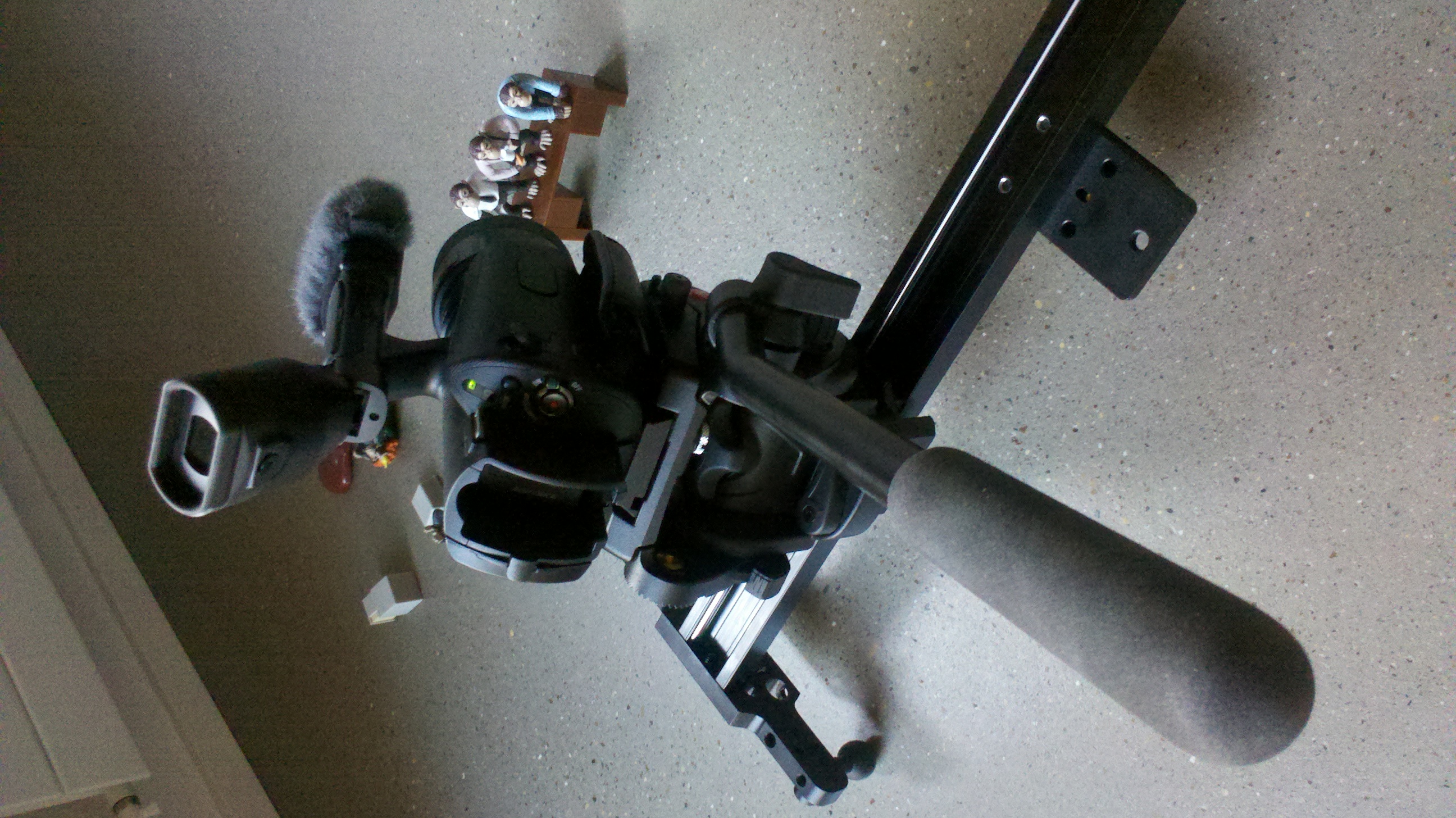
For video, we need tools. Tools include, my Sony NEX VG10 camera, audio via a Zoom H4, various lenses, and a Jag35 Field runner rig. Now that I have some ideas in my mind for other shots I realize I need a slider, or linear motion control device (to move the camera on a set of rails). I picked up an Atlas FLT, which will be needed when I head to Berlin.

Location Berlin

I like the concept of the urban landscape, and now that video is part of the equation, it makes sense to put together some footage in one of my favorite cities, Berlin – where I’ve much writing you could call poetry. I haven’t been there since 2010 when I visited the UXcamp. The idea this time is to go back for the Google Developer day and take a few days to shoot around the city with my VG10 and an Atlas FLT slider. Where? There are a number of options. My first goal is heading back to Beelitz, an abandoned hospital complex south of the city. Goal two, the Teufel-berg in the former West sector. Goal three…there’s too many goals to list in a place like Berlin.
I shot for a day in Beelitz in 2010, and fell in love with the place like most people do when they visit. The hospital was established in the late 1800’s and was taken over by the Russians after Berlin was taken in 1945. If you venture through the corridors you’ll still find Russian articles all over the place. It’s probably the most popular urbex location in Germany, on par with the Packard plant in Detroit, Michigan. Unlike the Packard plant, parts of Beelitz are being renovated, meaning parts are no longer accessible. However, the main surgery building was still open in 2010, and I want to get back there and shoot before it’s gone. The inside of the buildings are covered with grafitti, and all manner of creepy writings that will freak you out when the wind slams a door closed as you walk the corridors alone. Rumor has it however, well, not rumor but more fact, that some one died in Beelitz while exploring the ruins around 2010, and now the place is guarded, also to avoid further vandalism from hooligans haunting the forest.

The Teufelsberg translates directly as Devil Mountain. After the war Berlin needed to be rebuilt, and all of the trash, broken buildings and such were piled on top of one another and eventually the Teufelberg was formed. During the Cold War the NSA built a monitoring station there to snoop on the East, and the building with funky octadome radio installation is still standing. It’s unclear how open it will be here, but internet recon suggests it should be accessible, I may however defer to other places if it doesn’t work out.

Location Zurich

It’s always good to team up with other creative folks on projects, and my main collaborator in Zurich is the photographer Ethan Oelman. We do projects together where he focused on photography and I focus on video, and then I mix the two together in a short video, our last finished collaboration was the video Dancing with Water. Lately we met up in downtown Zurich with a Med-student-model he works with. I took footage of her before the sun went down, and then I assisted Ethan as a light man, walking around with a softbox on a boom while he did the shooting.
Animation Experimentation

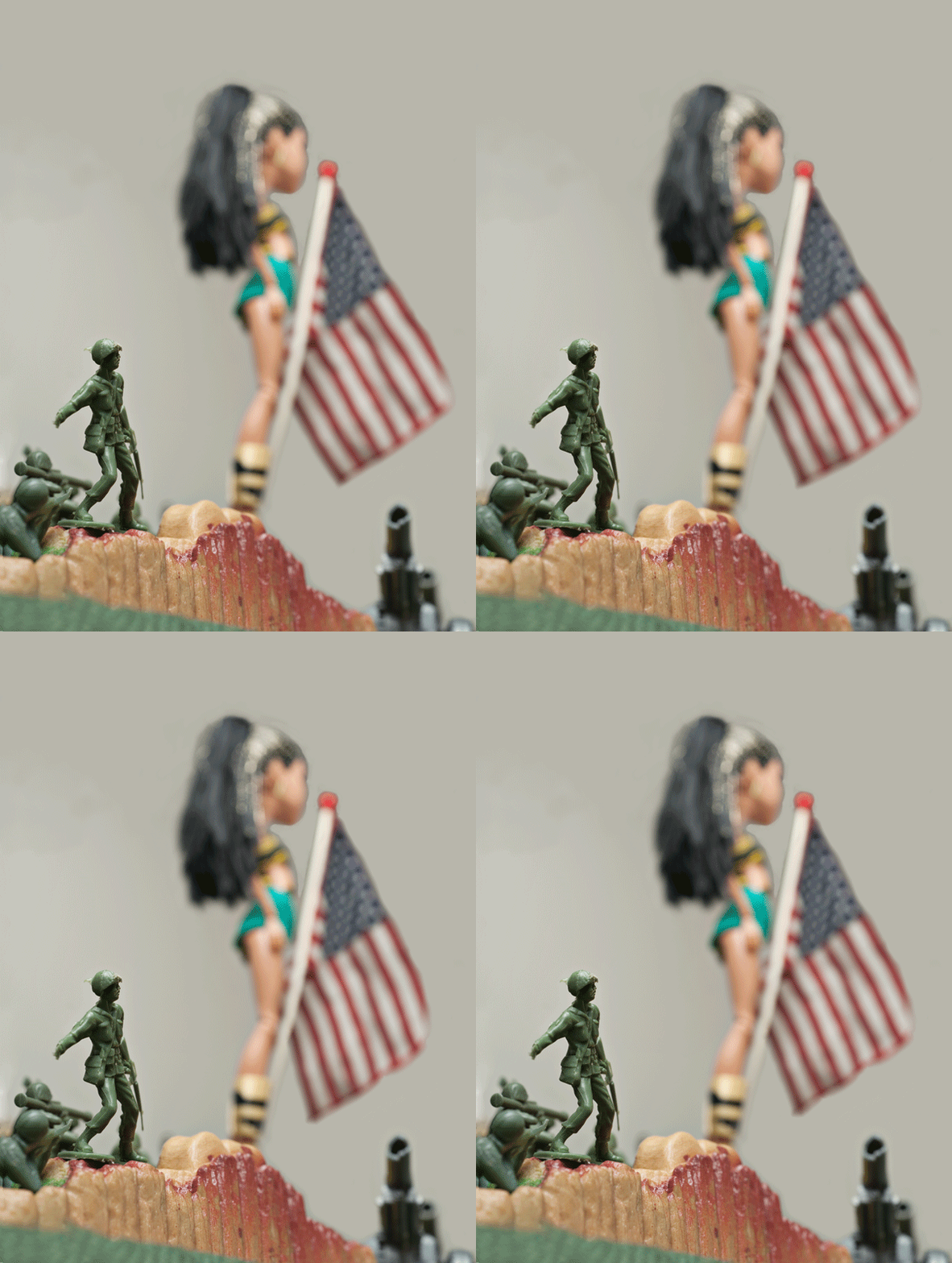
Many times when I’m shooting still images I have a short movie playing in my head. The Bratz image series in particular is something I always wanted to animate, to have the scene include some elements of interaction. Now that I’m picked up Photoshop CS5 this is a realistic project. How it will fit into the poetry concept I’m still debating in my heads, but the potential is there to create some active elements that work into the shot video of the project. I started out with a simple Toy Wars image with some plastic Army Men and Cleo de Nile from Monster Highschool. Using the Puppet Warp tool in Photoshop I did some masking and warping to create a few animation frames of the American flag waving in the wind. Then I’ll scale that up to animating the sergeant and background elements (still to be imagined).

Bringing it All Together

So, that’s the plan. Shots form Zurich and Berlin, likely mixed up with strange animations of Bratz dolls and and Army Men battling in a new world apocalypse landscape.

1 Day of Art London – (t)here Magazine

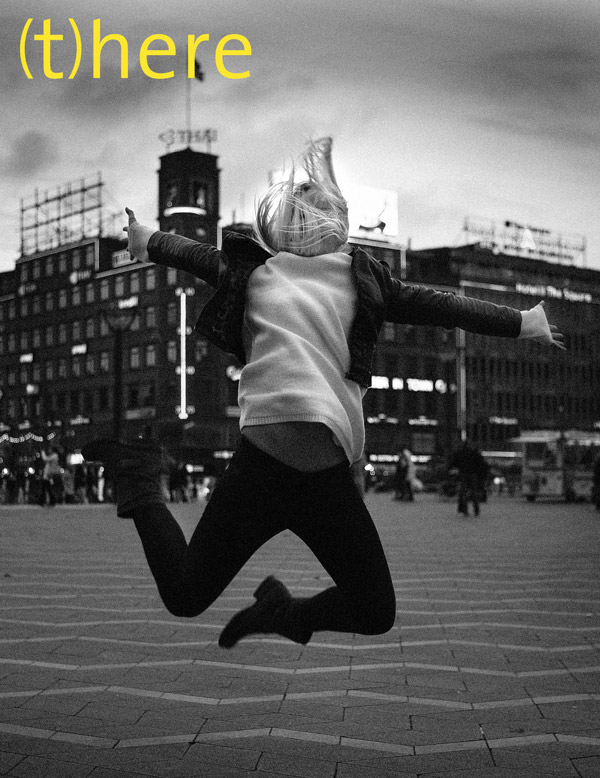
The next 1 Day of Art event from (t)here Magazine is going to be in London on Oct. 28th-29th. If you’re an artist around London I highly recommend contacting them to see if you can participate (How to Participate). I was at 1 Day of Art Copenhagen last fall and it was an amazing experience (Thank you talenthouse!). The format is simple. You get together with the magazine crew on Friday night, draw a topic to work on, and then you have 24 hours to produce your work within the city limits. For my part I did three paintings in the bathroom of the Diamonds room at HotelFox, based partially on my experiences walking around Copenhagen late Friday night. Before the 24 hours kicked off we were all interviewed, and the camera crew and editors came around during the day to see how the work was progressing.

The whole thing has the nonlinear feeling of a hackathon or startup weekend, naturally without any coding, laptops and API’s replaced by canvas, paint, cameras, whatever you use to put your vision into the real world. Once the spark goes off you get the materials you need together and then create. The work from the other artists at Copenhagen is going to be revealed with the next issue of the magazine, but the cover is already on the web. Believe in the energy of the night and inspiration of the process and great things will come to those who decide to create. I’m looking forward to see what comes out of London.

VOLUME 13 – COPENHAGEN – COMING SOON…

You Are Not The Malcolm X of Cameras (Canon EOS-1D X)

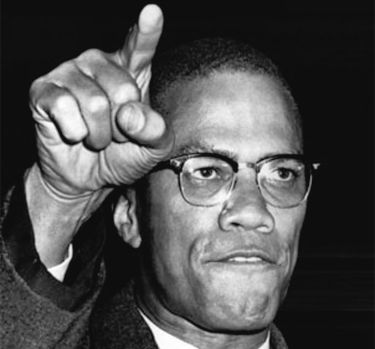
You are not releasing the Malcolm X of cameras or software, so how about not using “X” on every new product: Canon EOS 1D X, OSX, FCPX, etc. I love technology, I like the positive revolutions technology brings to the world, be they social, economic, how we think, how we work, talk, love, and realize our potential as humans. It’s getting common now to use X to denote new releases like cameras and software packages, to make consumers feel like those new iterations on a product are revolutionary in their design and capabilities. The X could mean the 10th edition, taken from ancient Rome, but in general it’s used because it sounds cool – but the person who made X stand for cutting edge revolution was Malcolm.

I first read the Autobiography of Malcolm X while taking a class at Michigan State University, just a short from where Malcolm Little grew up in Michigan. The X represents the idea that Little was the name of the slave master of his father’s family, and that their heritage had been taken from them, hence he took the last name X to represent that loss of identity.

“The Muslim’s ‘X’ symbolized the true African family name that he never could know. For me, my ‘X’ replaced the white slavemaster name of ‘Little’ which some blue-eyed devil named Little had imposed upon my paternal forebears.” ( Malcolm X, Autobiography, Perry, p. 147)

It probably started with OS X, the 10th edition of the Apple operating system. The idea was that Mac OS version 10 was a redesign of the old system, the new being based on Unix and in large way lead to the turn around of Apple, which now dominates many sectors of desktop and mobile computing systems. When Apple released the new version of Final Cut Pro, borrowing heavily from iMovie they called it FCPX. Now Canon is jumping on the X marketing-wagon, naming their new flagship the EOS 1D-X. I foresee a trend here, like using cleaver Latin names on cars. The marketing taps into the power of the word, but does so to sell a product which doesn’t live up to the potential of humanity.

The Canon 1D X isn’t a revolution in video capable DSLRs. It wasn’t oppressed by Kodak-based slave masters or beaten down by Nikon thugs hiding behind white hoods. It’s a tool to shoot still images and videos with. The X is something which screams revolution, but don’t let the marketing guise dilute the true meaning of the letter. It stands for social change, it stands for people standing up and putting their lives on the line to push for a dramatic modification of the social framework of a city or a Nation.
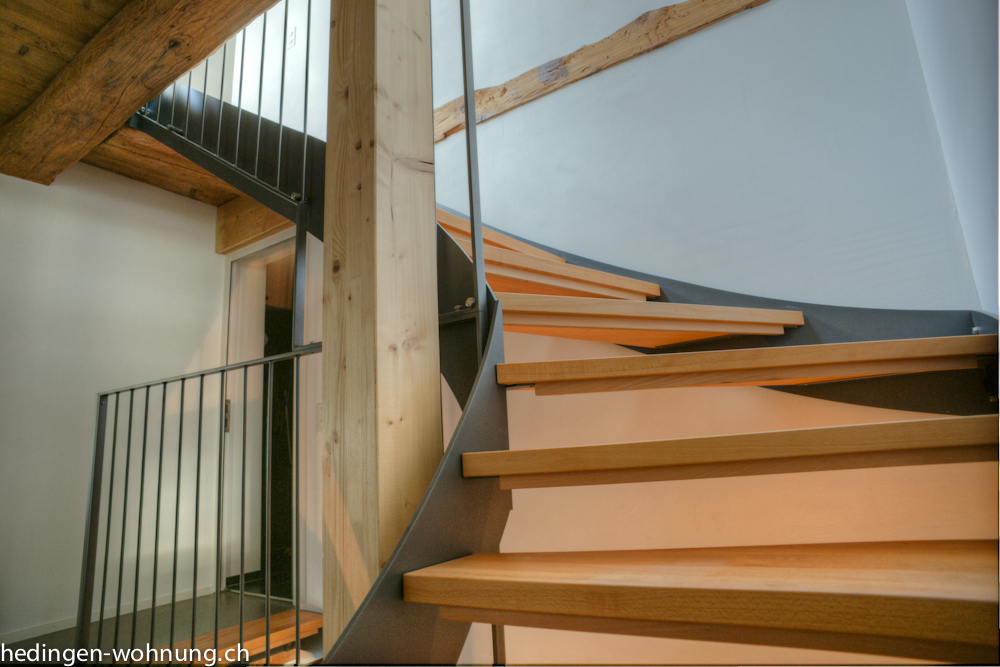
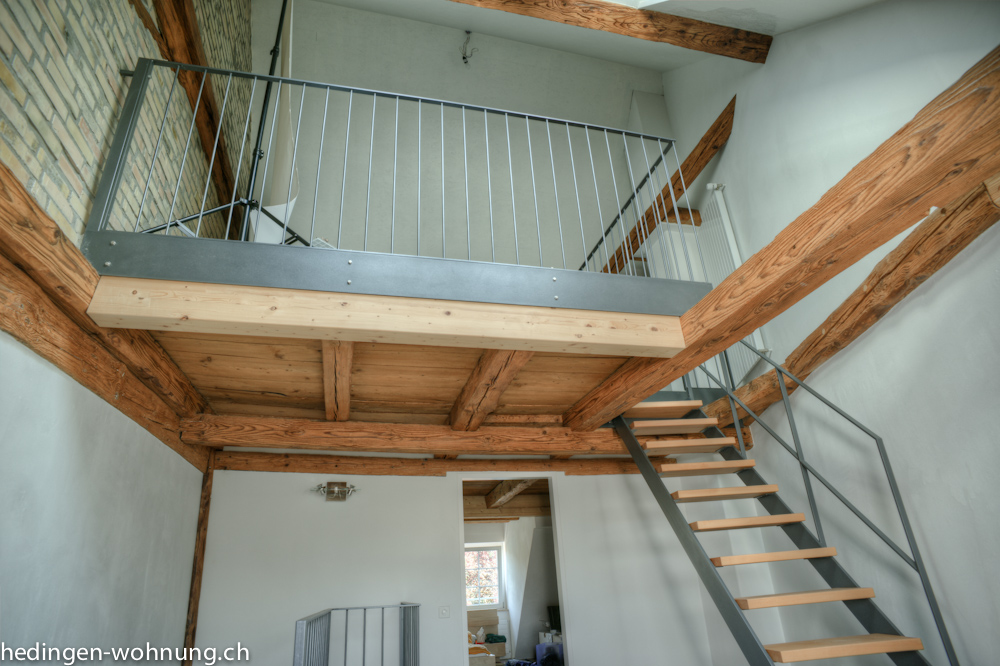
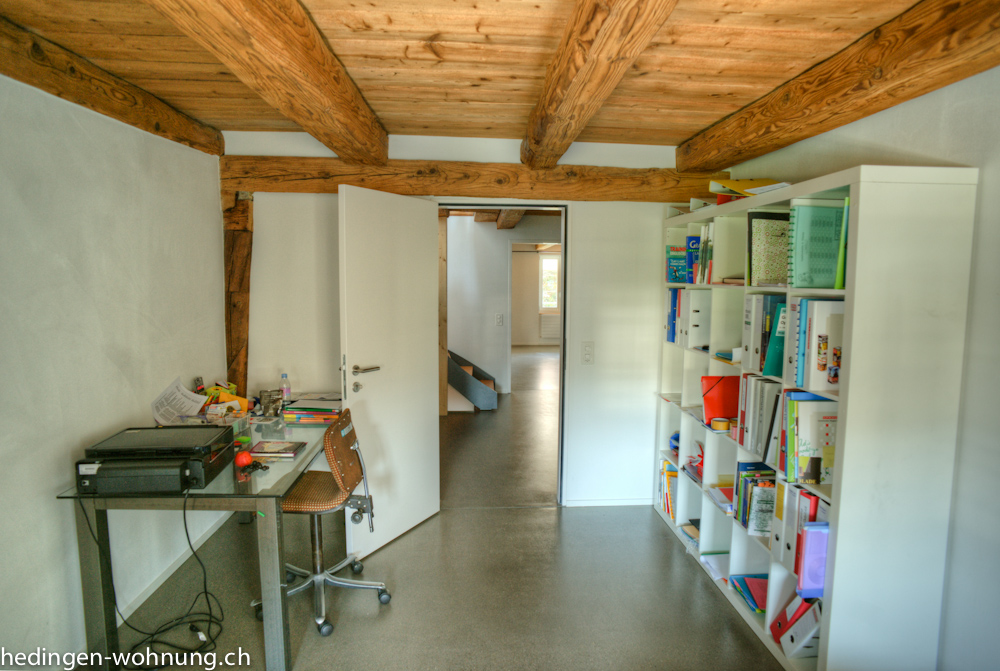
My Awesome Hedingen Wohnung zu Mieten

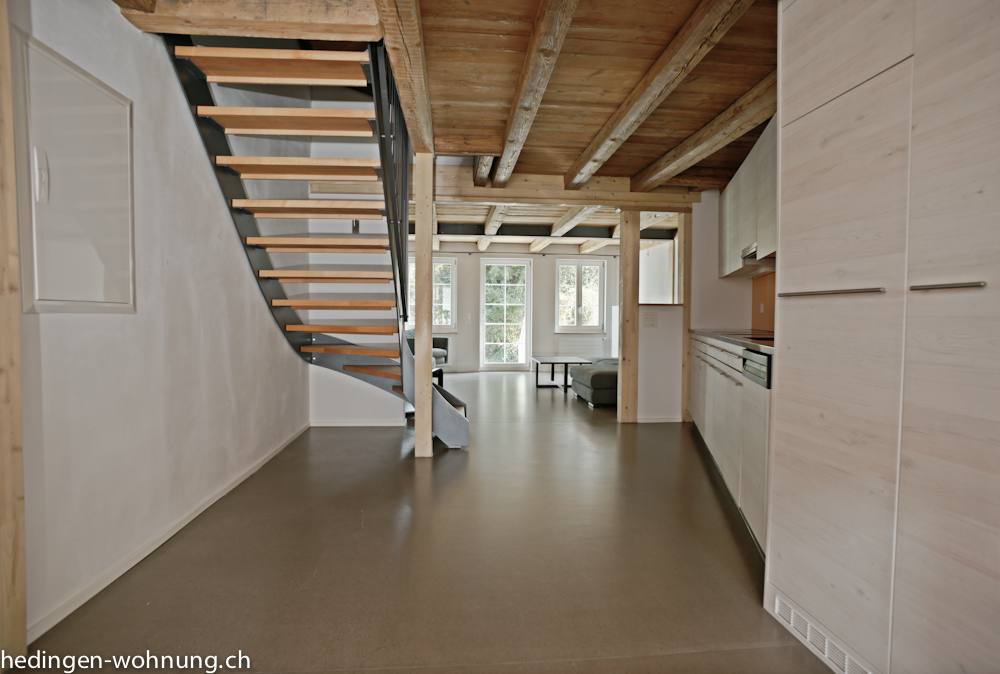
Various events in life now make it necessary to find a new renter for my current apartment, my wohnung is now free zu mieten. It’s at Arnistrasse 16, CH-8908 Hedingen in the Zurich countryside. In order to promote the project, I decided to make a website for it. It was a great time to apply my knowledge of SEO, and first I picked up the domain www.hedingen-wohnung.ch and then starting putting together some photography for the site. I needed some proper pictures for the apartment  – well, technically it’s more of a house, anyways, it was the ideal time to start playing with HDR photography. I played with the HDR option in Photoshop (CS3) and it resulted in some amazingly horrible results. So, I decided to get a proper program HDR tone-mapping program. After a little searching I decided on Photomatix Pro, a fine piece of software that makes high dynamic range imaging painless and the results are fantastic.

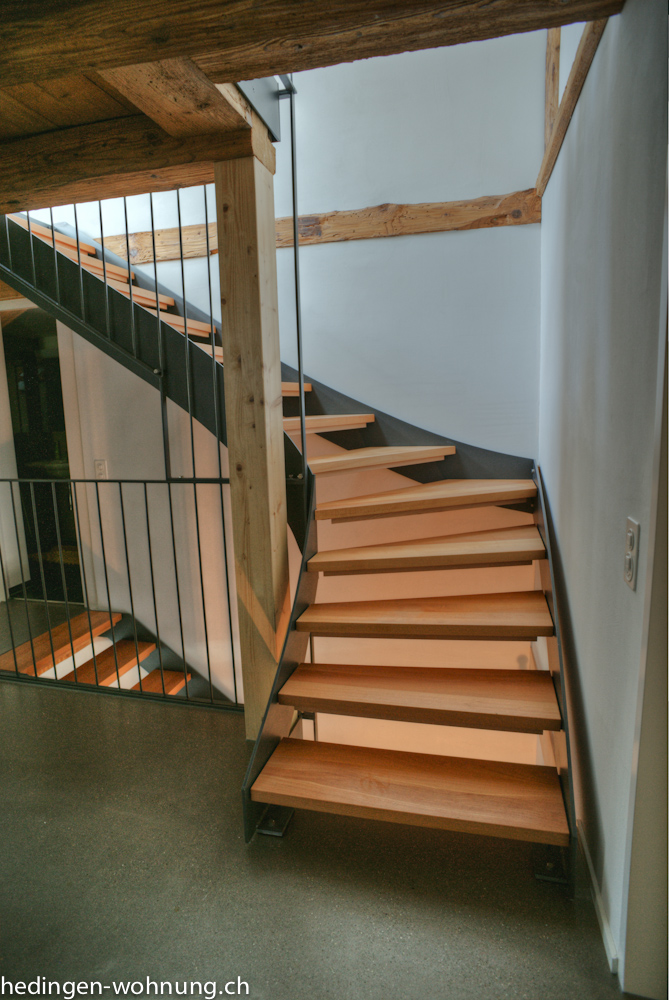
The apartment is fabulous combination of an old 200 year farm house rebuilt from the inside, but retaining much of the original wood and structure. A steel stair case connects the floors and the whole place is like a warm hug. On the top floor there’s a gallery and I put my photo studio up there. The ceiling is high enough for a small trampoline, but I just have a background setup.

Getting the place ready to shoot also entailed clearing things away to make it all minimalist and show off the design (as opposed to views of my camera equipment cluttering up the floor space). When you get that far you might as well wash the floors too, so I did that and then setup my Sony A900 with a 20mm Minolta lens to shoot my first interior images. I’ve seen amazing house photography before, but was mainly just hoping to produce some nice images. Happily, Photomatix is an excellent software program and you can easily produce natural looking images with minimal time input. I supplemented the natural light in one image with an Elinchrom strobe, but otherwise it was all just natural light. Photomatix gives you different tone mapping options which range from that horrible gaudy-over-saturation look to the very natural, almost like you’re standing there, but with a little pop so it feels just a tad like the image is from Wonderland look.

Arnistrasse 16 is easily the best designed place I’ve ever lived in, and I feel like I’m walking through a magazine some days. It includes such funky amenities as an induction oven and internet connection in every room. It’s a certified Minergie place, which means it uses the minimal energy for heating and cooling. It technically has four floors, with an open gallery on the top level where you can setup a studio, or an office if you like. More information on the wohnung is on the main site, www.hedingen-wohnung.ch and if you’re interested in visiting the place I would be happy to show you around.

Piotr Soluch – Web Portraits Zurich

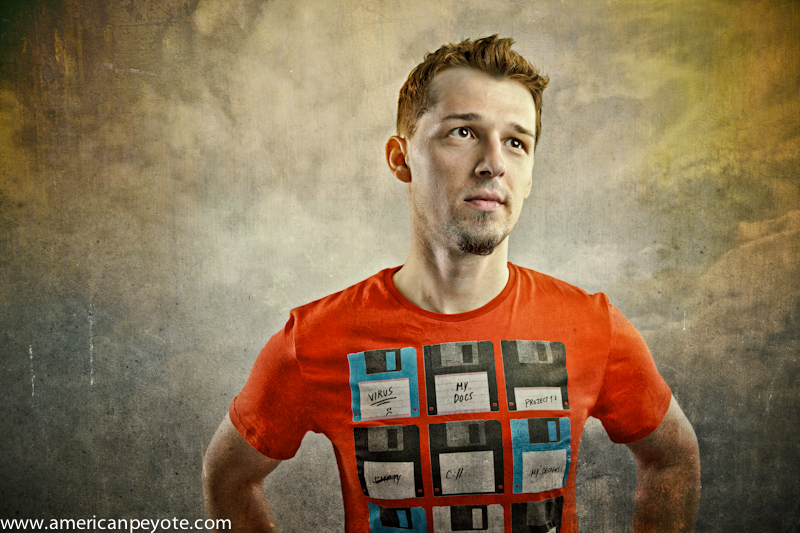
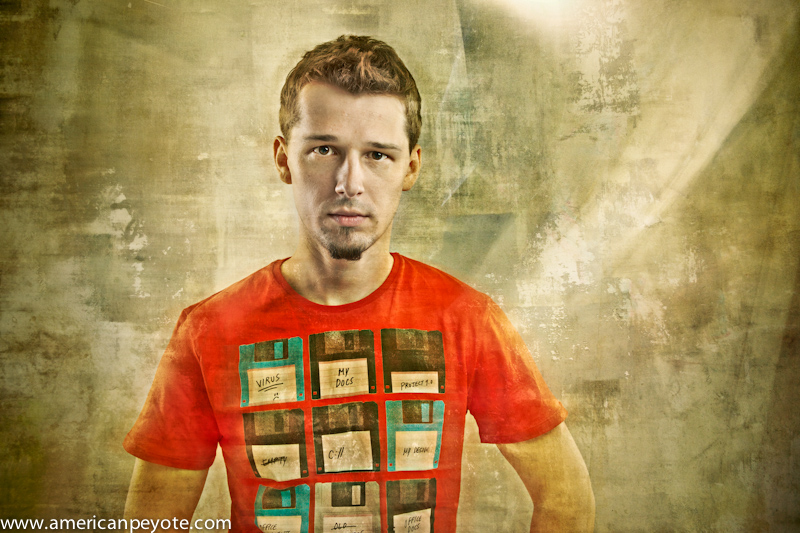
The latest addition to the Web Portraits Zurich project is Pitor Soluch, he just opened his web design business in Zurich, and I photographed in my new studio space in Hedingen. I hadn’t worked many projects lately, between moving out and moving in and running a few marathons I didn’t find a lot of time to organize any shoots or projects this summer. I met Piotr at a few web gatherings in Zurich like Web Monday, and we also ran into one another at the 2011 Swiss Startup camp in Basel. He’s an intricate designer with that required attention to detail that makes the difference between a professional site, and the ones that I throw together. For the shoot be came by with cookies and Polish beer. This was a fantastic combination and the shoot went smoothly for both of us.

I wanted to get back to fine painterly shadows and images with a dramatic feeling. This included lighting Piotr with some CreativeLight strip boxes from behind either shoulder, a Metz MZ40 in a beauty dish from the front and LastoLite TriLite reflectors from the front. I then pulled in some textures from Rome and the abandoned hospital of Beelitz, just outside of Berlin. There’s no substitute for fantastic texture images. I’ll walk around a city for hours shooting walls and the streets and then maybe not use them till a year later. They add something you never expected when the shoot started.

Strata Conference 2011: Complete Video Compilation Review

The big data Strata conference in February of 2011 was a three day event covering everything a data scientist needs to go from zero to data hero. I’m reviewing the Strata videos as part of the O’Reilly blogger review program. The full video series covers those three days composed of 78 sessions, with so much information it’s taken me about half a year to write up a review. If you could clear your calendar you could easily spend a solid week just watching the content (which I didn’t have the ability nor desire to do, hence the long wait). It’s enough information overload when you’re just attending a three day event and only going to one session at a time. My mind often goes numb after the first two hours with all the information, and by the end of a two day conference I want to jump out the nearest window. The Strata video collection is a much more enjoyable way to take in the content.

Watching the Videos

There is an very large amount of information in the video collection. What I did was to identify the sessions which I felt would be most interesting for me. This entailed starting from the end middle, with topics like, Mining the Tar Sands of Big Data, and then I worked my way back to the start with the Data Bootcamp sessions. This gave me a more practical overview of the value of big data now and for the future, giving me motivation to learn the basics of data collection and interpretation in the bootcamp sessions. I like the Executive Summit sessions because it gives me a feeling for how the top managers might perceive the value of big data, which would naturally be different than my perspective. I’m still going over all the information in the videos, but I now know what big data means for the present and the future. The bootcamp sessions get you up and running with open source data tools based around Python and R. You can download these while watching the videos and follow along with their presentations.

Why Big Data Matters

How was Osama bin Laden found? Big data analysis helped pinpoint his location (according to Frontline). Big data analysis will replace individual intelligence gathering as a tool to pinpoint terrorist activity, troop movements, flood danger, probably even tsunami disasters, famines etc. Big data analysis holds huge potential for both good and evil, and is how we will predict the future trends with increasing accuracy, and the Strata videos will help you get your head around how to do it.

Why is Strata relevant? Big data is the commodity of the now, and of the foreseeable predictable future. Big data means being able to collect, digest, and interpret large data sets to find something useful. Useful could imply building a data consulting startup, data mining social networks, understanding from an executive position how big data can be used to improve your existing company. It will be an essential component in many businesses as we venture further into a future defined by data collection. Data market places will no doubt evolve where people can buy or license the use of big data sets, and probably big data use wars will ensue instead of patent disputes to dominate the intellectual property legal landscape of tomorrow. Strata covers all of the background topics necessary to make sense of the data future. There are talks on the ethics and privacy with big data, how startups use big data, how large corporations benefit, and what can be expected of a data scientist as a profession in the future. There’s also little nuggets of how to lie with big data and hide things you don’t want people to realize when visualize data with curves and diagrams. I find this essential to being a savvy consumer of news and political poles, and it will only get more and more relevant. Who wants to be a data journalist?

Does Strata Deliver?

So, does Strata deliver? Yes. The videos are well-done, sound is clear and the speakers are quite good. All the critical information is there to get up and running on the big data subject. If you know nothing about big data the Strata videos will get you up to speed. If you are looking to understand the potential impact of big data on future business Strata delivers. If you already are a data scientist you’ll probably find the bootcamp sessions redundant, but will no doubt find a lot of good info on the current state of the industry in the executive sessions. I may look back in five years and remark on how watching the Strata videos was a defining point in my career. However, remember that this is a really big set of videos, almost more of library than a conference. You’ll probably feel overwhelmed when you first look at the topic list, but skim over the topics and just start where it looks interesting. This is a video collection where you watch specific parts a few hours at a time, and not try to just crunch through all information in one night (or even in just one week), in fact, in may take you nearly a year.

Buy the Strata Conference 2011: Complete Video Compilation on O’Reilly.com

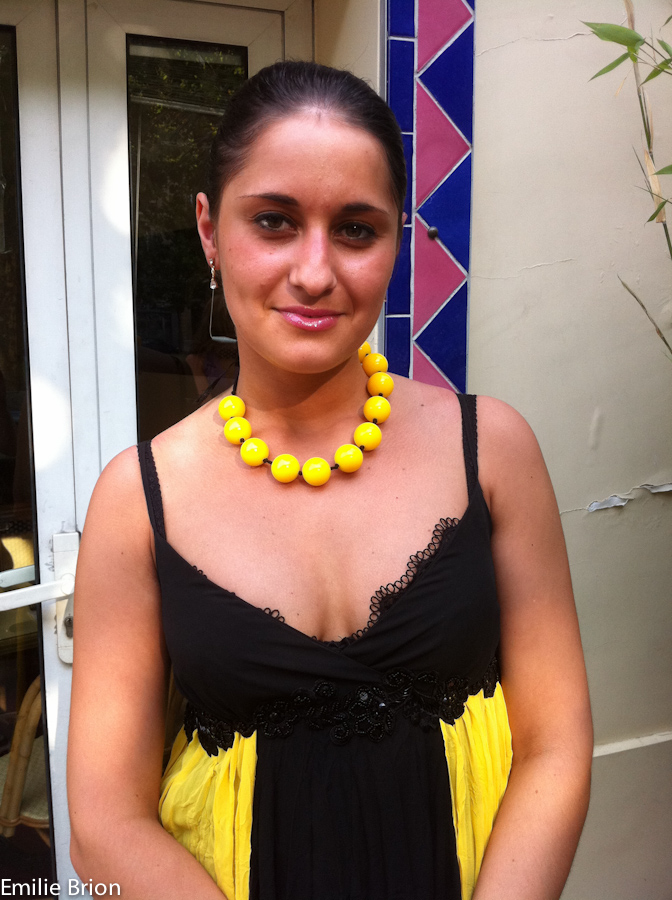
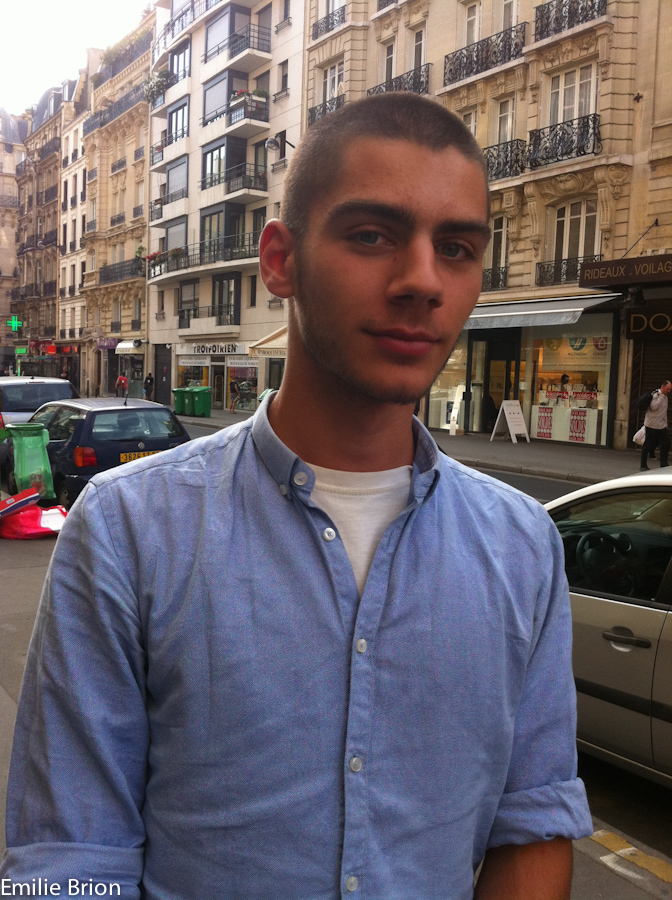
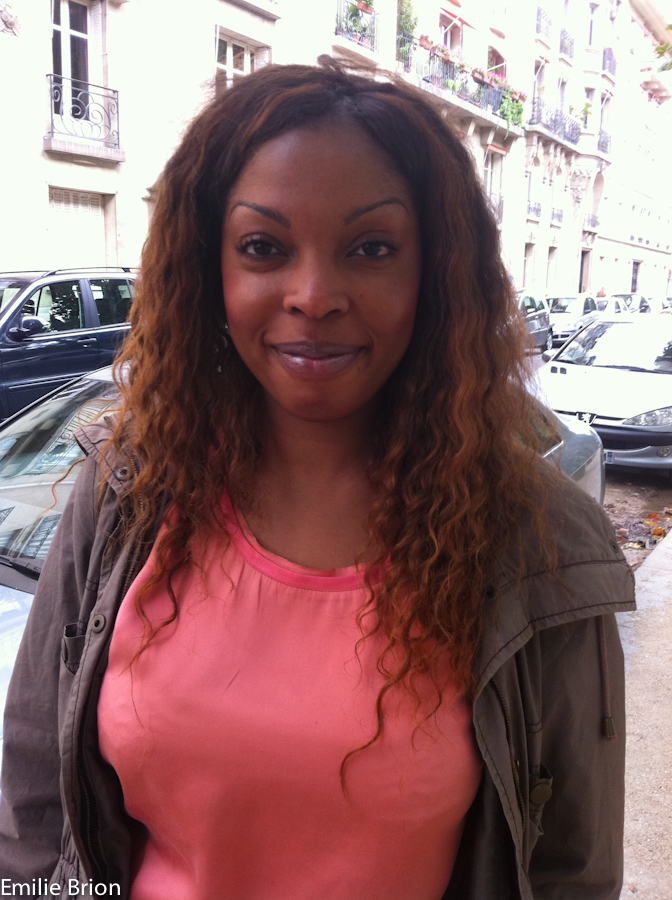
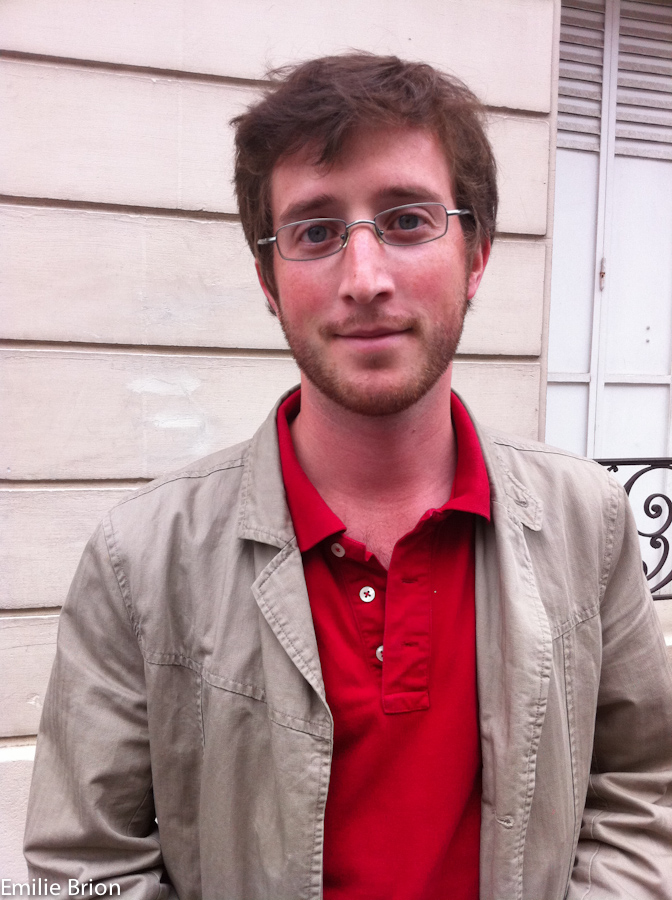
Le BonBon Paris Portraits by Emilie Brion

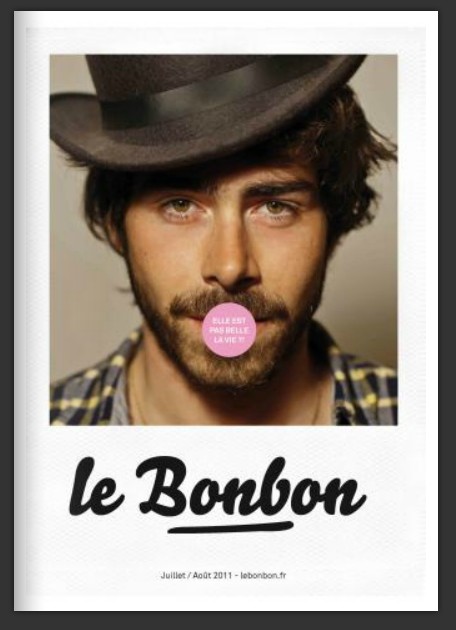
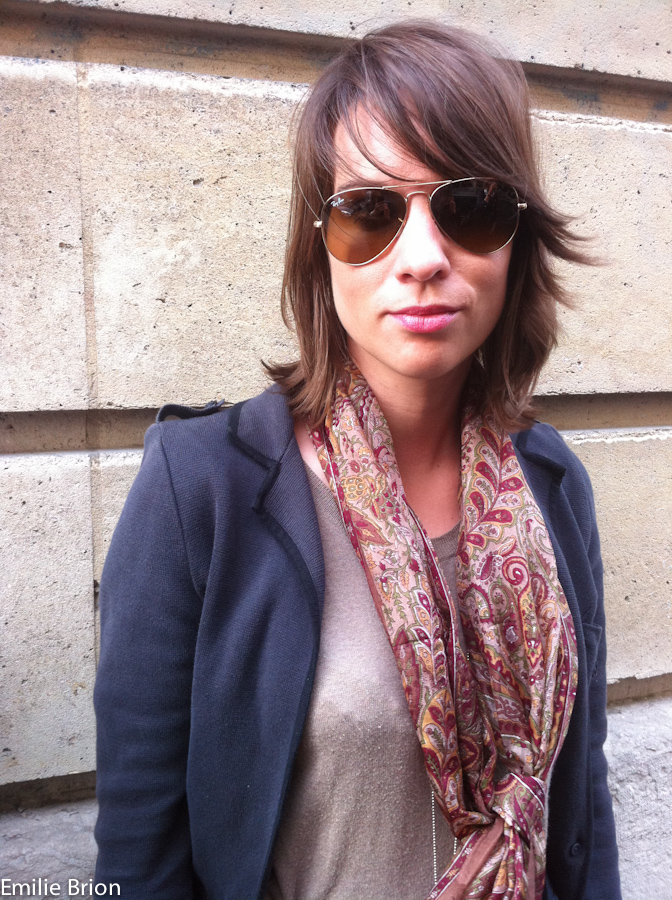
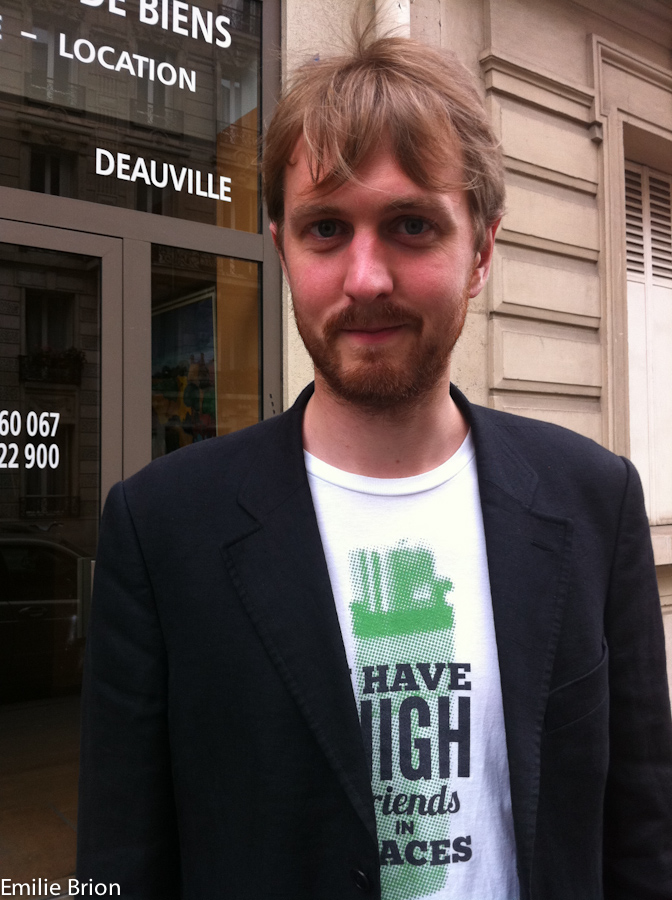
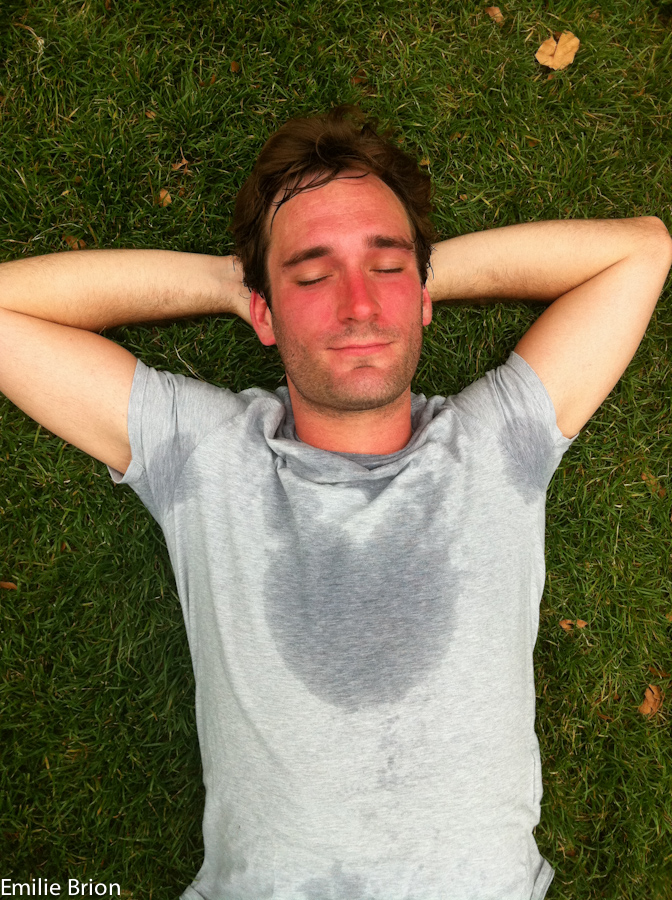
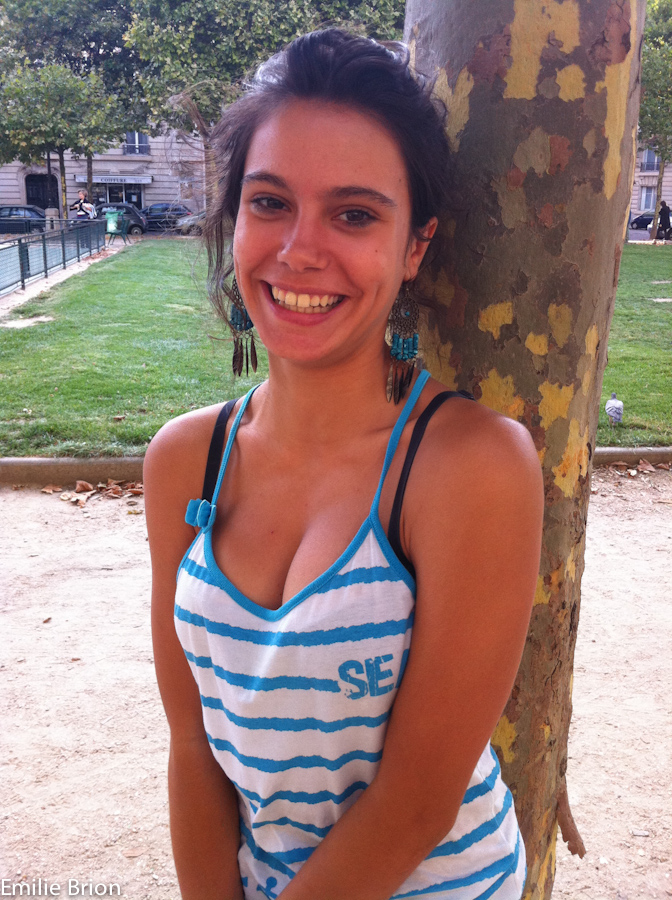
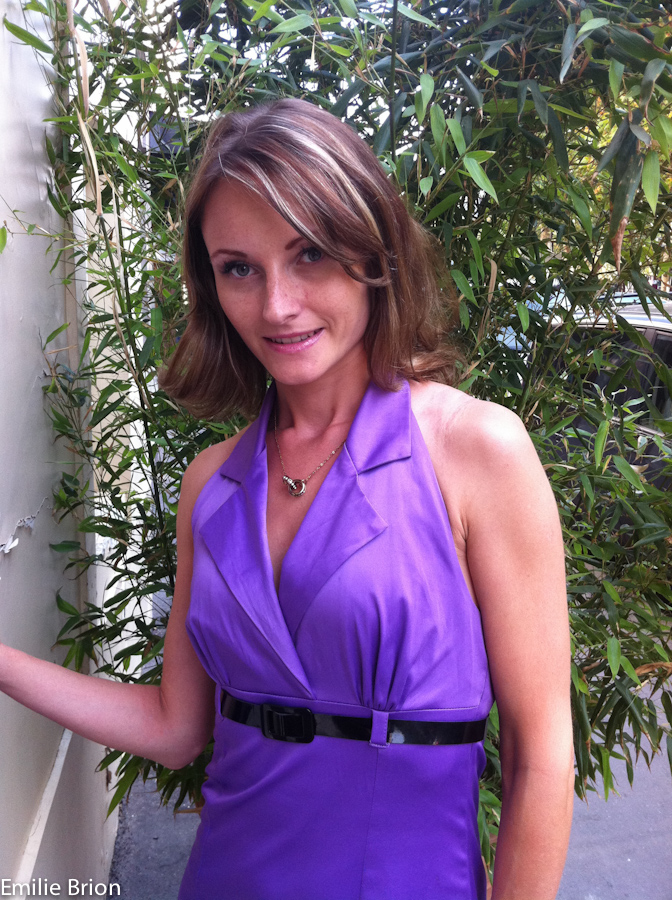
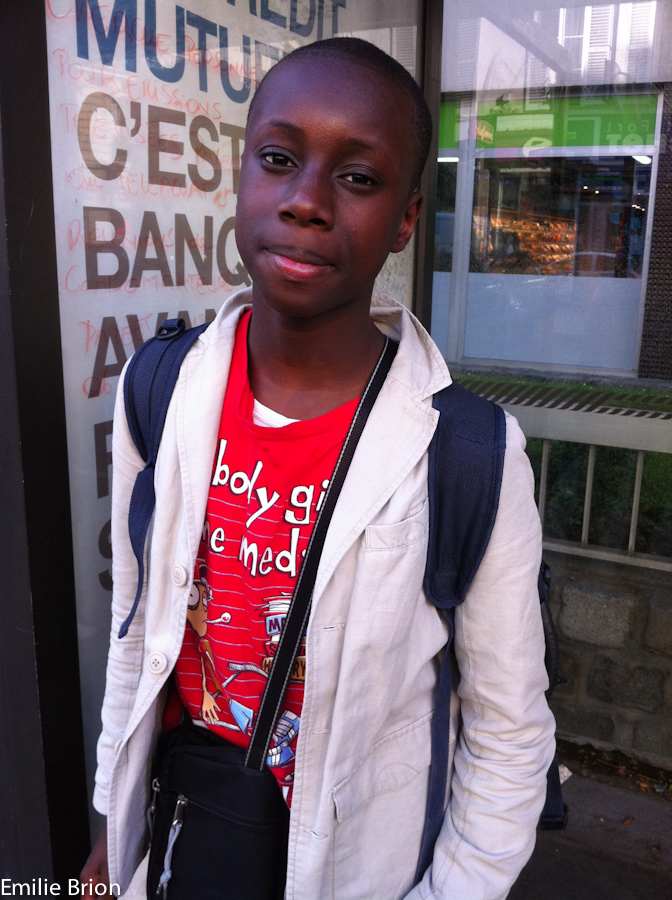
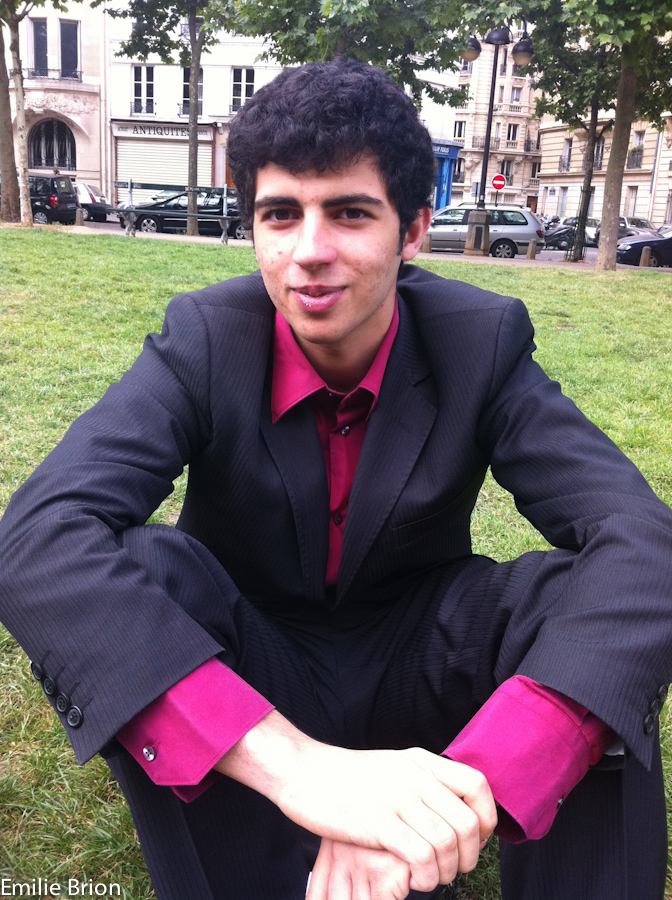
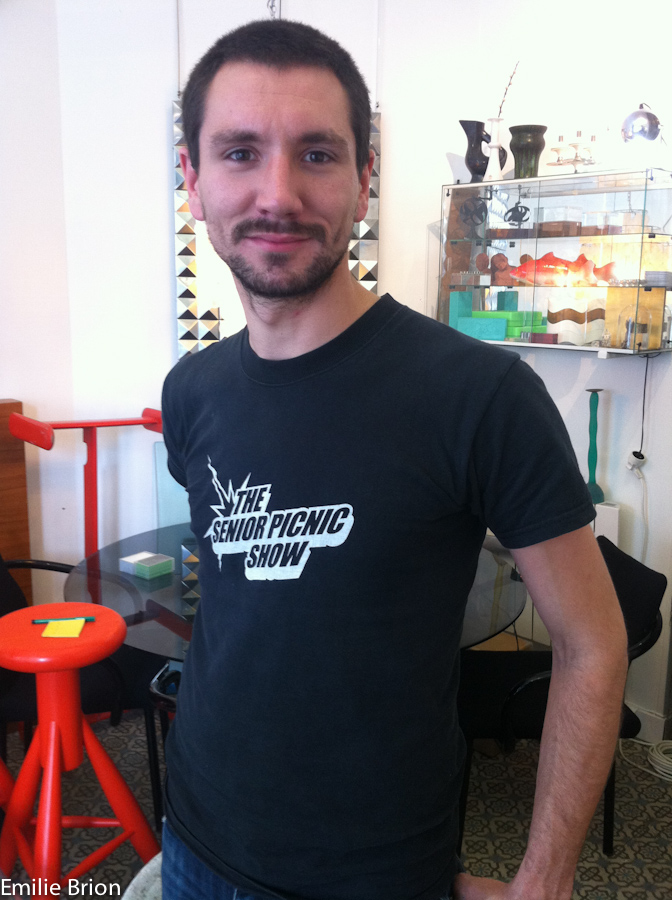
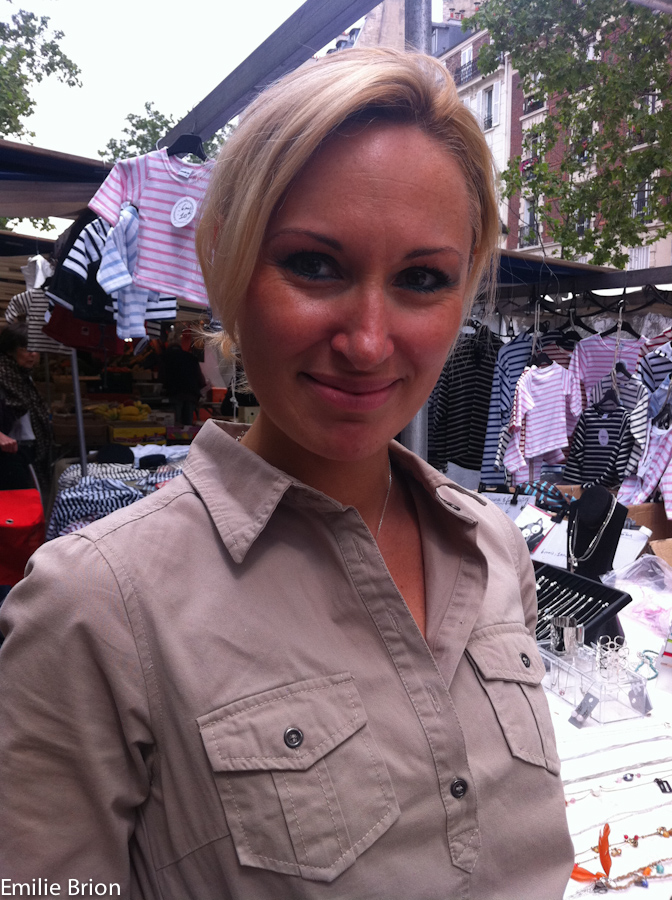
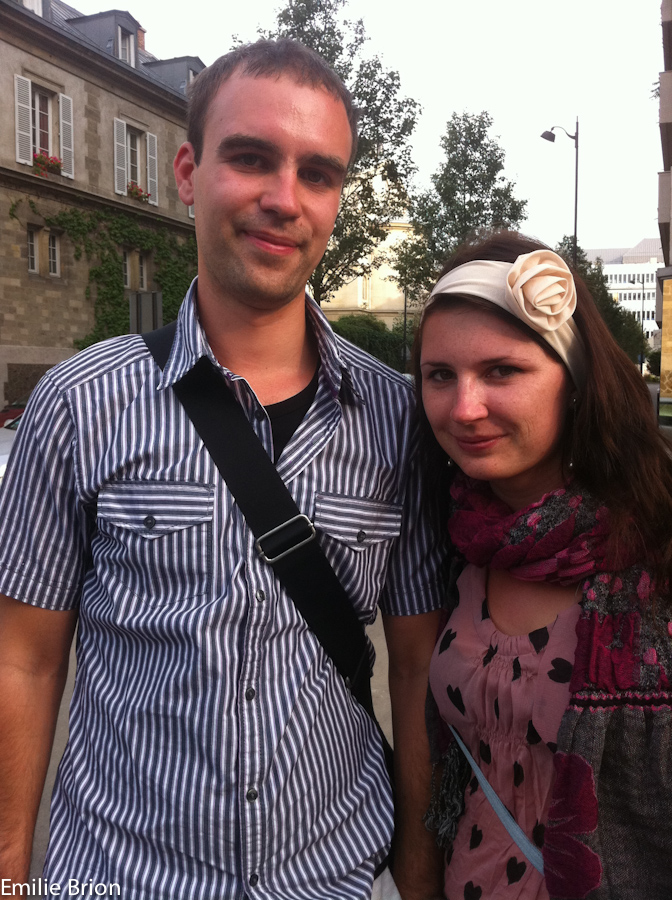
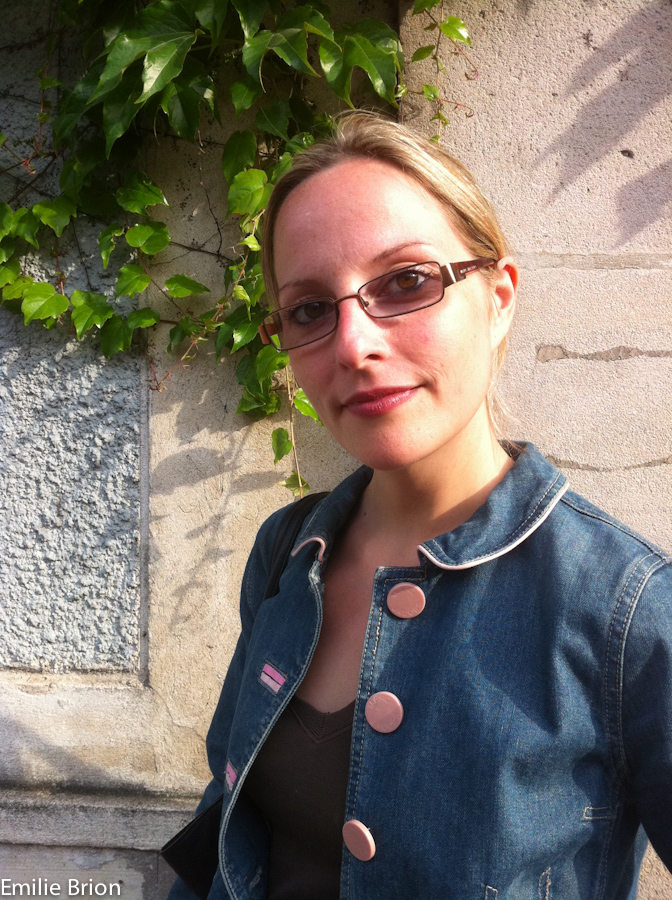
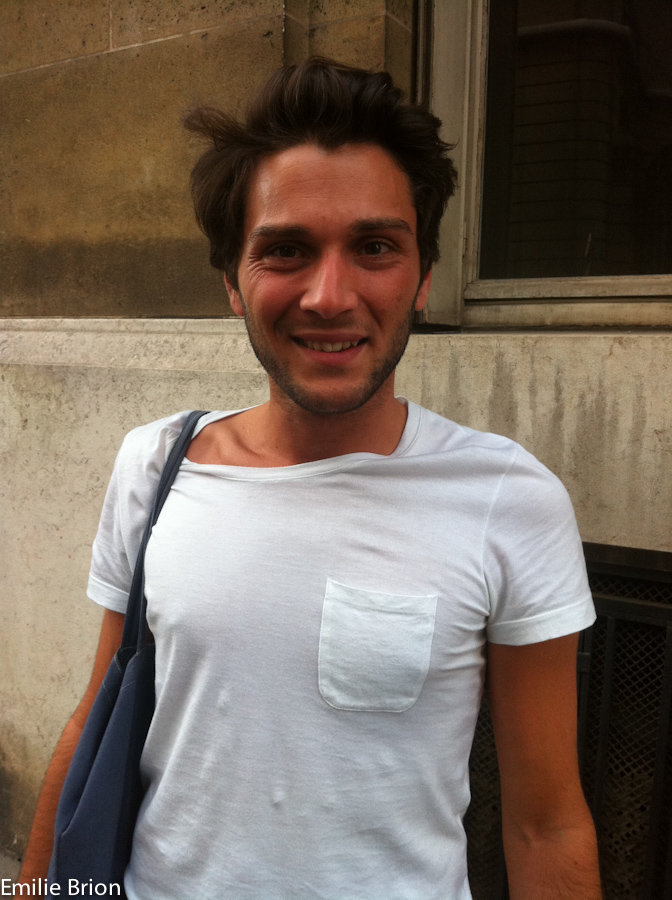
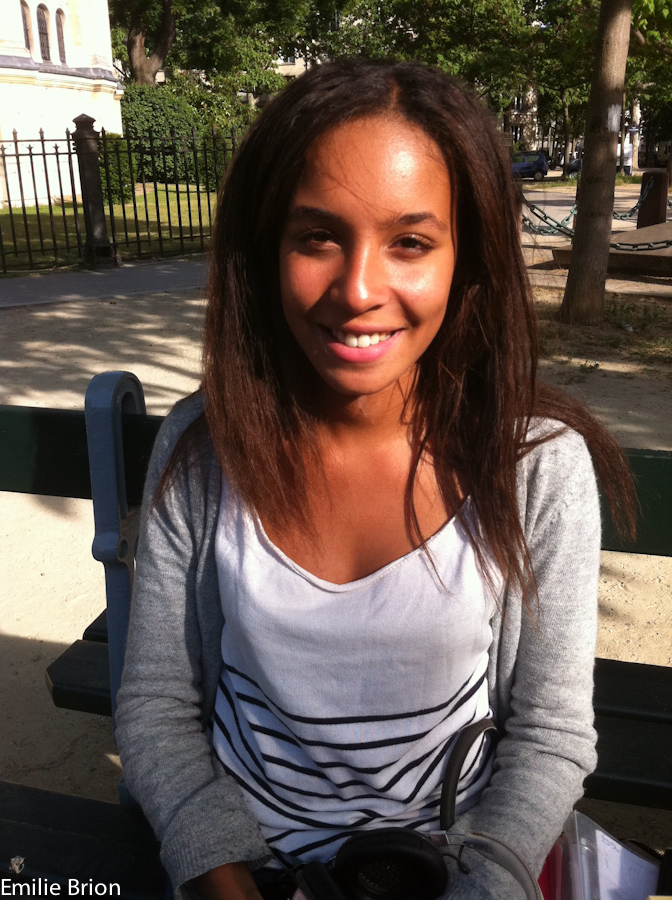
Paris is one of the those iconic places that you don’t want to get sucked into because it’s so well known (like Las Vegas), but there’s a reason that it’s so popular. No matter how much you may think it’s a cliche to stroll down the Champs-Élysées, it’s still a unique experience. The Effel Tower simply does not get boring, and I’ll never pass up a trip to this wonderful heart of Europe. The last time I was back there I met up with Emilie Brion, we know each other from an eternity ago in Michigan and I promised to look her up next time I was Incognito in Versailles. We killed a few hours at a cute cafe near the Opera and we got into some heavy conversations about photography, portraits, and the Decisive Moment. She appreciates the capture of a singular moment in time, which can never be relived or improved upon, I say that I produce decisive moments in the studio when I decide to. In truth there’s a never a way to relive a photograph, either from a darkroom or from the computer, and it was excellent when I regained this sense of fleeting time captured in a camera after our conversation. Since that time Emilie has started shooting a portrait project with Le Bonbon magazine, which features portraits of people from the different districts of Paris. I wanted to write about her project, my mind freshly finely tuned for some prose after watching the trailer for the Rum Diary (the novel by the late Hunter S. Thompson) with Johnny Depp playing Paul Kemp. But to be honest, some things are best left in their perfect natural state – and no post processing or editorial drama is necessary. So I present here, in Emilie’s own words – her portrait project of the 6th and 7th districts of Paris for Le Bonbon.

The online version of her portraits can be found here pages 48-49:

Le Bonbon Juillet 2011 Rive Gauche

In Emilie’s words…

Le Bonbon, ‘the candy” in French, is a local free Parisian magazine by arrondissements (for each districts of Paris) made for and close to the locals. It includes information on what’s happening in each district and promotes local restaurants, stores and events. Each magazine includes two pages dedicated to 32 snapshots of people from that district. Since I love to take pictures, I was asked if I wanted to take the pictures for the magazine for the 6th and 7th district of Paris. I thought it would be a new challenge and interesting project.

Since the pictures are snapshots, I did not want to use a digital camera but simply use my iPhone 4 so that when I would approach people to ask for their permission to take pictures, I wouldn’t be a photographer – but like them, a pedestrian walking on the street with an iPhone in her hand…. Less intruding I find…

Shooting street portraits of strangers is challenging. Often when you see a stranger you want to photograph, you can’t seem to ask them for their photo. For my part, I don’t want to intrude and I have the fear of the rejection. The struggle to shoot through the fear is worth it as when you get a spontaneous approval then you get excited and want to shoot more.

The reaction varies, either you get a firm “no”, or a spontaneous “oh, ok” or some people ask you numerous questions s as they are intrigued by the reason they were chosen and what the purpose is. Approaching people on the street is quite a sociological and psychological experience in itself…

The light is my biggest challenge… I walk around and find someone that I feel represents the districts or I am just struck by their face but I don’t want them to pose and position them to get the best light. I prefer the “instant” moment as these are not professional photos but snapshots so I often disregard the light and the one thing I want to capture with every portrait was that ‘unguarded’ natural look… that look that moved me in the first place when I spotted them on the street… I want to avoid that usual snapshot smile… you know, that smile that you’ve smiled a thousand times whenever you’re in front of a camera that “forced and fake smile and posture”. I want it to be REAL and spontaneous.

This project was a challenging and rewarding experience for me. I remember each and every encounter I’ve had with all these strangers: how I spotted them, how nervous i felt, how they reacted to me, and the rewarding feeling afterwards knowing that I just got one more keeper in a set of a hundred keepers I was aiming to get. Now I feel so lucky having been able to connect with these people even for just a few seconds. Different faces… all of them beautiful in very different ways with whom I have had a brief encounter that I tried to capture to its best in its instant.

As Marcel Proust said: “The only real voyage of discovery consists not in seeking new landscapes but in having new eyes.”

My Swiss Alpine Run – Luaterbrunnen to Eiger Rotstock

One week to go before the Jungfrau Marathon, and I was in the Jungfrau region to train. This was a special training run in fact, because it was an essentially unplanned for screw up. See, I got a few dates mixed up in my head and when I left the house on Friday morning on the 2nd of Sept. I thought I would be running the Jungfrau Marathon the next day. As it turns out – in reality, the race is on Sept. 10th, one week away. I realized this later that morning, but since the hotel was already booked I figured I would just go there anyways and run from Lauterbrunnen to the Kleine Scheidegg, which is the last 20km of the official Jungfrau Marathon race route. Now I am relaxing on a German train speeding towards Bern with my netbook and a fine Franziskaner Weissbier to recount the adventure, all is well in the world.

A Jog in the Alps

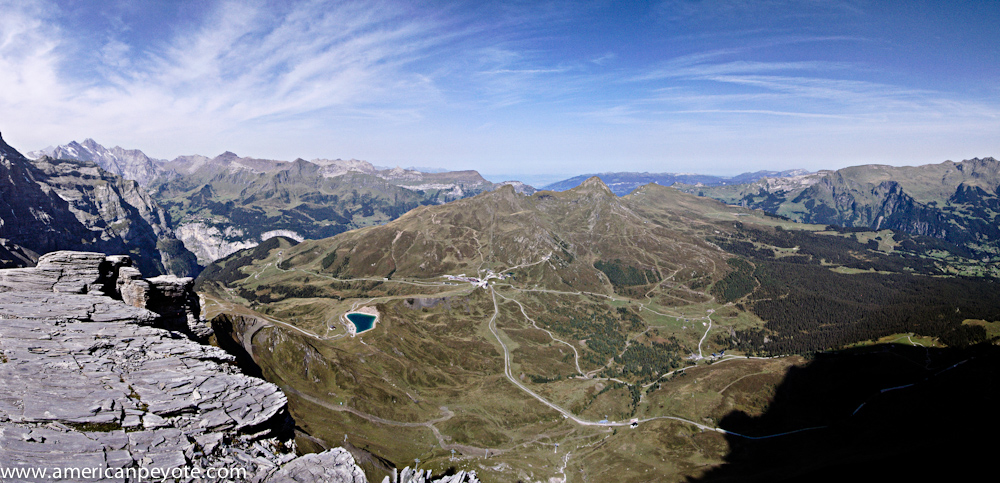
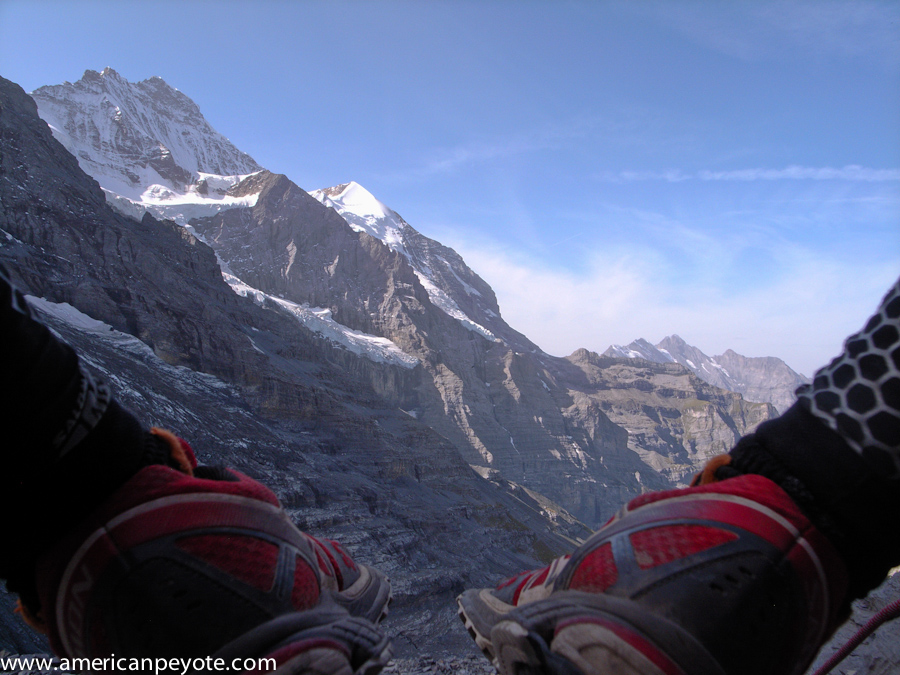
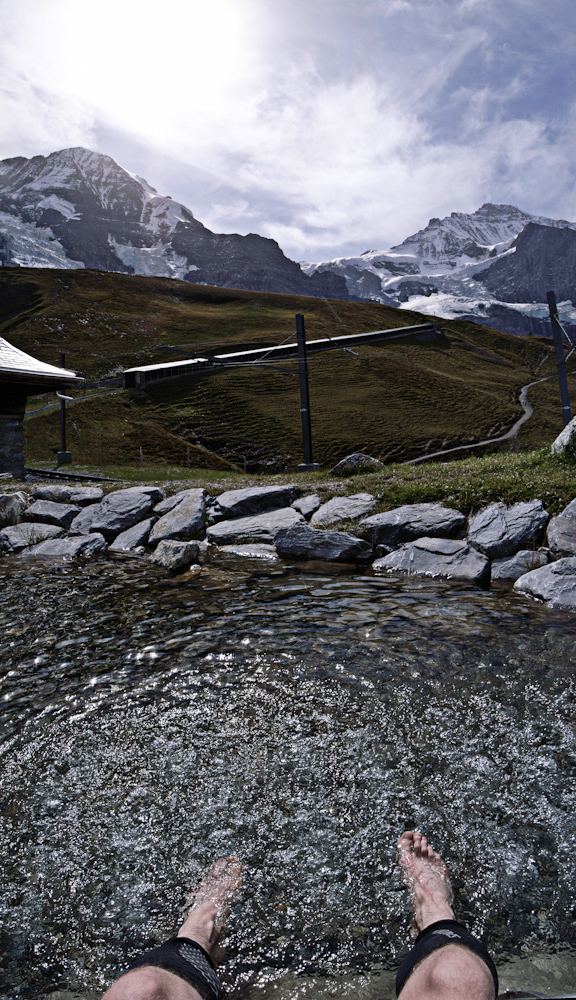
The run up from Lauterbrunenen was uneventful, the roads give way to trees and dirt and little rocks. This climbs passed Wengen and soon the view of the mountains comes into view. Those high peaks kissed with snow fields and glaciers melting into history. I try to get into the Alps and shoot a lot of pictures so maybe one day I’ll show some grandkids what it was like the when the Alps still had ice and snow. I’ve done this route before when hiking with Kate, a friend of mine who was visiting Switzerland and I decided to show her the Alps. Any route which starts in trees and green and ends in glaciers and high peaks is a fun day for me. This route is a fun run, but leaves my body unfulfilled and a lingering desire is present at the end, with a lust for thinner air. When I reached the remnants of the Eiger glacier my legs were a little tired, but I must be in half-way decent shape, because I didn’t feel any need to stop or have a beer at the restaurant. It was still early, just 10:30am and since I was already there, I figured there could be more to do and see. This is the mountaineer in me, always pushing for more. I imagine I’ll feel differently when I run the full Jungfrau Marathon, which starts in Interlaken and ends at the Kleine Scheidegg. But on this day, my spirit desired something more.

Thinner Air

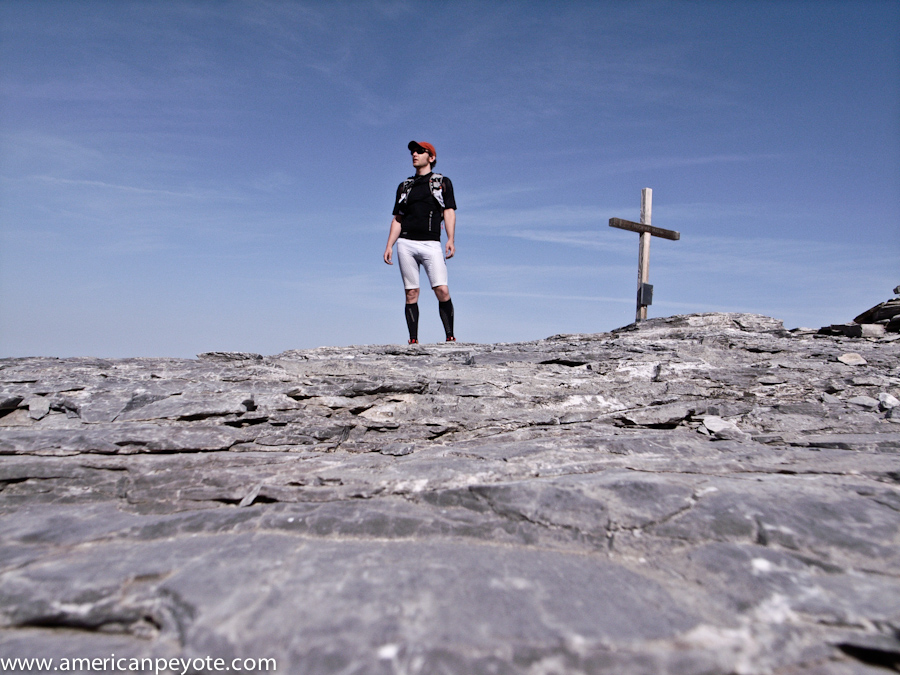
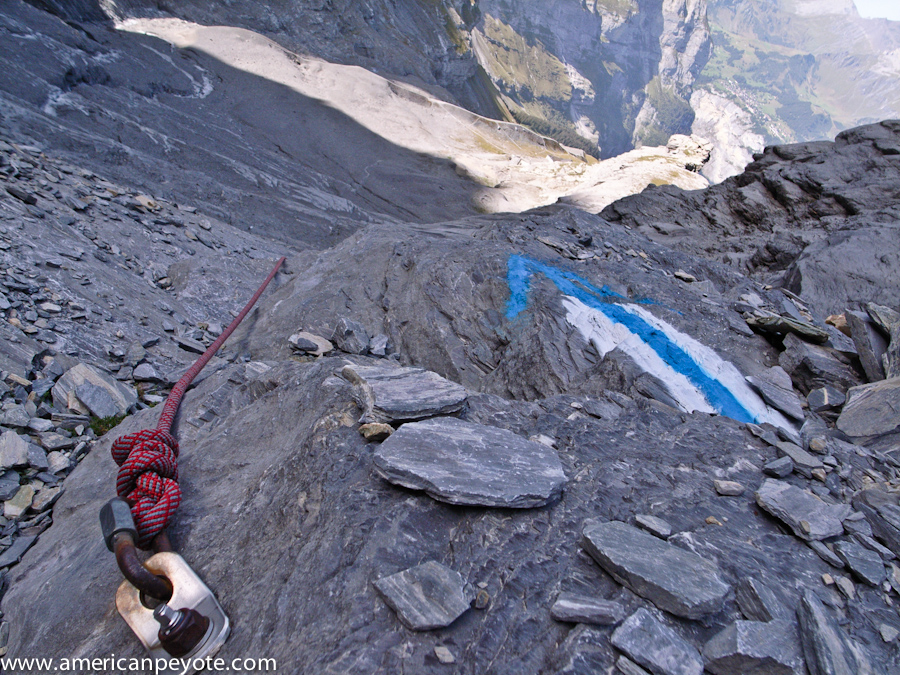
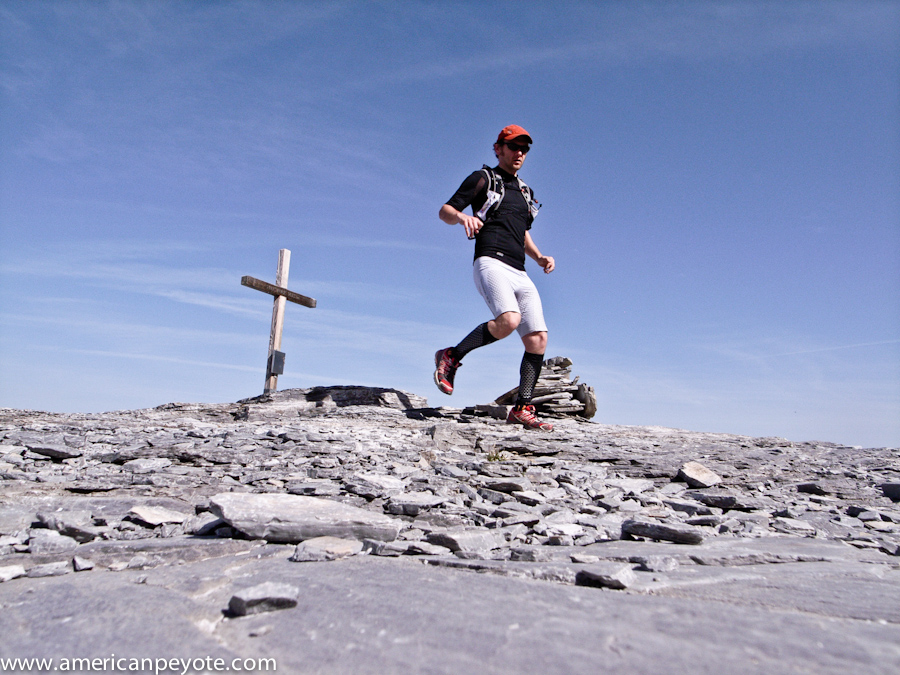
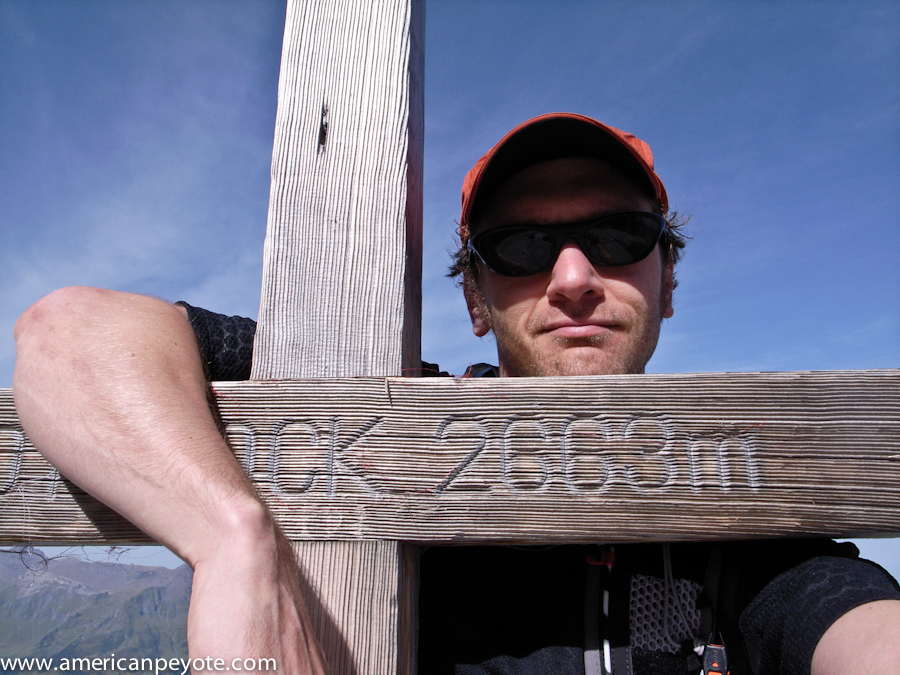
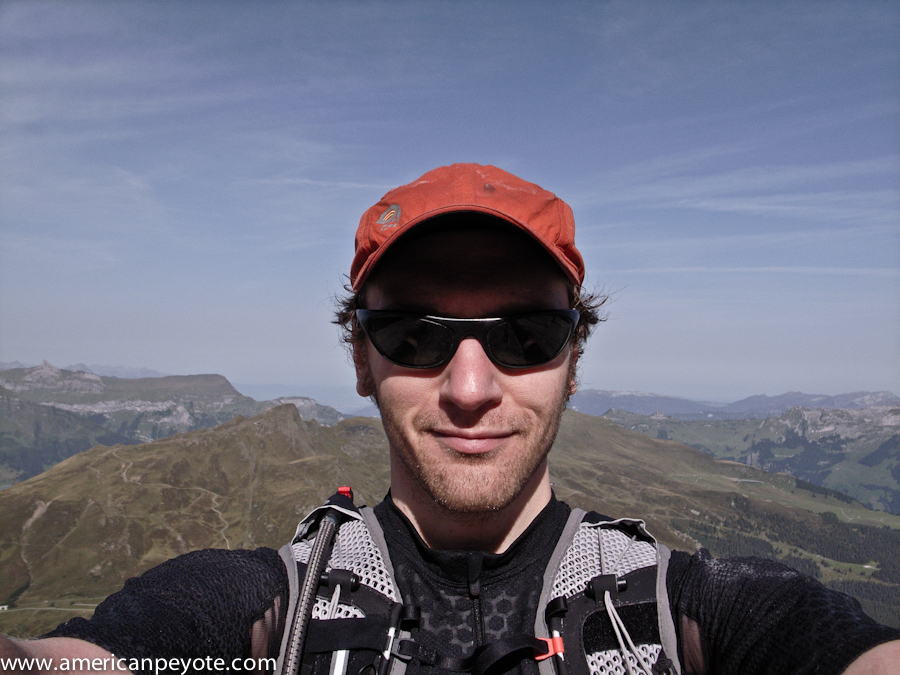
It took me just over two hours and thirty minutes to get from Lauterbrunnen to the end of the race at the Eiger glacier (what’s left of it at that altitude). This was only 20 km and I really wasn’t that tired and it was still early so I decided to just keep going. Beyond the Eiger Nordwand train stop there’s the trail leading up to the mountaineering routes, and I decided to just see what was up there. The normal trail stops at this point but there’s one of those nice blue SAC Alpine trails which includes ropes to climb up. I kept ascending till just below the famous wall of the Eiger and then saw a continuation of blue to a little peak to my left. To be honest, if I had had a climbing axe and better shoes I might have just kept on going up – but this of course, would have be irresponsible and…totally awesome (maybe another day). Instead of climbing the Eiger I continued to the smaller peak and a few minutes later I was on the summit of the Rotstock at 2660 meters. At the Rotstock I stayed to run around and pose for some self-portraits, naturally I want to look cool in my Salomon running gear. I also figured it would be a good time to record some thoughts in the SAC summit book. So, in total I started from Lauterbrunen at 796m and ended up at 2660m, a nice workout for the day. This was my version, what I call the Jungfrau-Rotstock half-marathon, which ascends just a few more vertical meters than the SwissAlpine K42.

Mountain Zen

I’ve never been much of a runner, but mountain running has a fine allure. Being light, going fast and traversing up and down peaks gives me a certain sense of freedom. I find it fun to train for marathons when I take the opportunity to just run and see what I’ll find. You might find Swiss Army tank bases doing target practice or just some peace of mind pushing yourself over passes and through mountain ampitheaters, either way it’s a fun way to spend the day and if you take a camera you’re sure to capture some wonderful mountain vistas. That’s the real reason why I like this mountain marathon thing, the adventure of discovering new places and just pushing myself a little to see what will happen. Cape diem and all that mens sana en copre sana bullshit. Plus I like to dress up like an X-man in Salomon running gear and do something with the look aside from planning a trip to comic-con in San Diego (although it’s on my to visit list).

Jungfrau Marathon

Next weekend on the 10th of September 2011 is the official Jungfrau Marathon, it starts just in front of Hooters in Interlaken (or in front of the Grand hotel, depends on where you look), and ends at what is left of the Eiger glacier. I still need to find a hotel, I imagine that Interlaken will be booked out so I may be staying in Spiez. I’m looking forward to the starting bell (I’m assuming a giant cow bell will kick things off). I didn’t die on the SwissAlpine K42 so I’m planning to survive and write an article about the Jungfrau Marathon experience. And then, well, who knows? The passes don’t have snow yet so I’ll probably go on a few more running adventures in the Alps before the ski touring season starts.

Dynamic Color Portrait Photoshop Tutorial

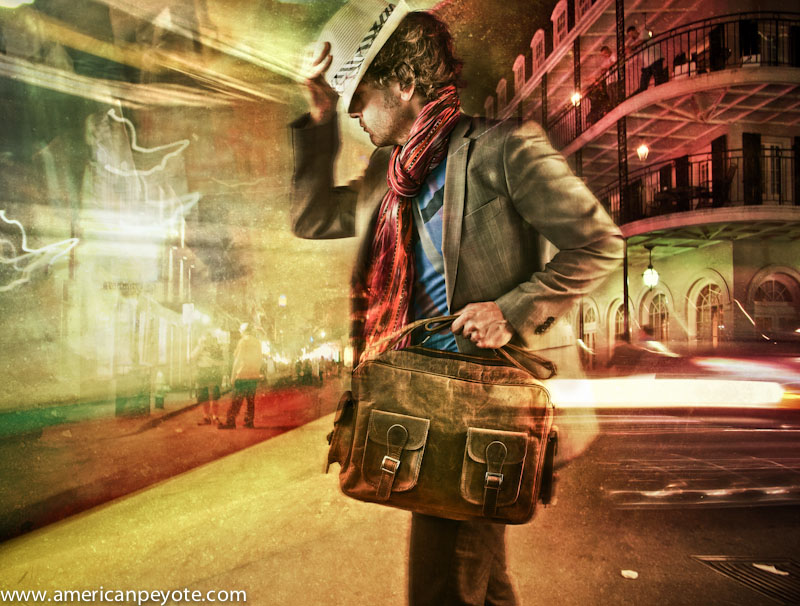
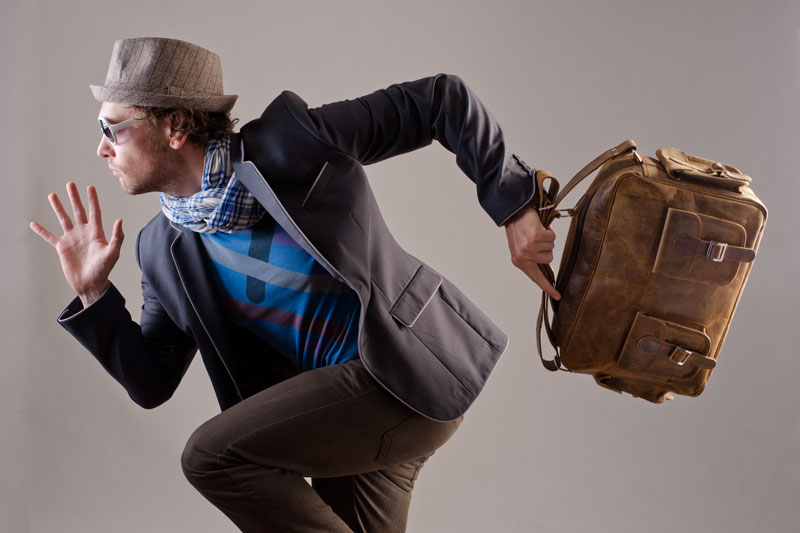
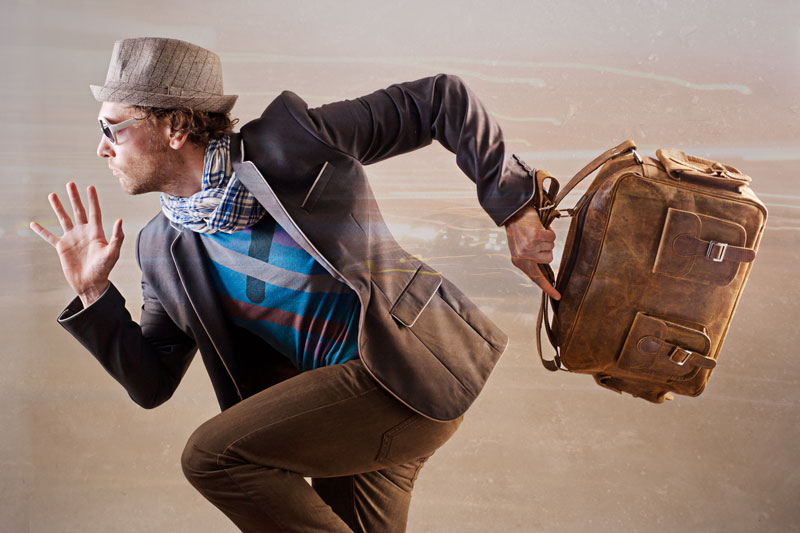
Here I present a workflow for creating a dynamic image using layers in Photoshop. Why? Well, because I like to share and because I got some requests on my Google+ album asking how it is done. To illustrate the process, I’ll use a set of images I created for Scaramanga Bags, a cool company in the UK that sells vintage leather bags and other things like journals and vintage suitcases and trunks (see the Scaramanga Concept Images here). On their website Scaramanga already has nice urban portraits with their bags, so I wanted to go in a different direction. I wanted to create portraits that convey a feeling of abstract motion. Something to invoke a feeling of movement and action. I love photography and painting. I began with photography looking for image perfection, and then moved to painting after developing a color palette in Photoshop. I like to light an image in layers, and in Photoshop I layer colors and backgrounds to add a sense of visual movement to an image. I look at a scene, put on a pair of rose-colored glasses, and I have a layered image (because at the base, this is all Photoshop does). When you can do this in your mind you then just need to translate that to something other people can see, and for that we have Photoshop. The aim of this article is to show you how to combine images together to create unique, balanced color combinations, which add a desired character to the original image.

The Basic Recipe

I generally apply this concept to portraits, where I want to add a certain character which complements the person photographed. First, begin by realizing that the person is a person, not simply a subject (A Person is not a Subject) for academic study. I start out with a base portrait image, generally shot in a studio environment with a two or three light setup using softboxes and maybe a beauty dish. Why? Because we need a decent (well exposed) portrait to start with. It should be something that speaks to you and has the look and pose you want. The layers in Photoshop are just there to modify the intention of the original image (otherwise just go ahead and create an image from scratch and render it in 3D).

I always start with a well-exposed base image that defines the main textures, tones, and colors of the person. In the Scaramanga Flight Bag images I used a Sony A900 and Elinchrom lights with a CreativeLight softbox. You don’t need an expensive camera and equipment, but you do need to know that a properly focused image with proper exposure will give you the largest amount of information to work with. If your initial image has high contrast or deep and dark shadows, then you just need to know that you can’t modify those areas of the image very much, and they will not blend so well when we layer a new image on top of it, since the very dark areas contain very little color to modify. So, let’s start from the base image.

The Base Image

In reality we’re mixing static image layers one on top of the other. In my mind I’m painting on layers of color movement to complement a portrait. I began with images produced in my apartment studio, and posed in such a way as to communicate the idea of running or of standing still, with motion in the background. This is my base, a strong pose which will be modified (enhanced) by a new layered color environment. For more info on creating a dramatic pose portrait check out my post on this subject (Urban Ninja – Dramatic Pose Tutorial). In short, I take my inspiration for poses like this from comics and graphic novels such as Conan the Barbarian, 300 and Watchmen.

After importing the images into Lightroom I chose the best and then increased the Fill Light to reduce the contrast in the image, and then exported to Photoshop for layering work. When exporting from Lightroom I don’t want deep and dark shadows, but rather a lot of information to work with and which will respond well to layering. Once in Photoshop I will often start by adding a Black and White and High Pass layers to the base image (although I didn’t need to do that for this image set). I first copy the original layer, add a High Pass filter, and set the blending on that layer to Soft Light. This has the same effect as increasing Clarity in Adobe Lightroom, but in a more controlled way. I reduce the Fill value on this layer so that everything blends well together and the image doesn’t look gaudy or like it was just run through an actions industrial meat grinder. I will often also create a Black and White adjustment layer, and then set the blending to Multiply. You can then adjust the values for reds and greens and blues. This desaturates the color while intensifying the shadows of your base image. It can darken the image a lot, but the goal here is to modify the tones of different parts of the image (such as skin tones). Again, I will often reduce the Fill of this layer so as not to totally kill the base colors.

Choose Layers

I always start from the base portrait and then choose layers on the fly. For the Scaramanga images I wanted a lot of bright colors with movement. So, I opened up Adobe Bridge and looked for long-exposure night scenes with lots of color and light streaks. To achieve this abstract motion goal, I picked a few images that I had shot in New Orleans, Zurich and Berlin. The key here was to have images with long light streaks and pockets of intense color, which would blend in with the form of the person in the Scaramanga portraits. By blending well I mean that the lines of the night scenes would coincide with the lines of the runner (think of drawing lines over his body and comparing it to the flow of the layer images – check out my Dynamic Pose Tutorial for clarification). There’s no formula here, you just need to pick images that work well together. Aside from light streaks, these images also have very interesting pockets of color, and also recognizable object elements such as a tram or street scene, which then defines the background environment of the final image. The night images from Zurich give the feeling of running through a city of lights, while the one of Bourbon St. gives the idea of a person standing still while the environment is exploding in color around him. Now that I have chosen the layer images, I just need to blend everything together.

Blending Layers

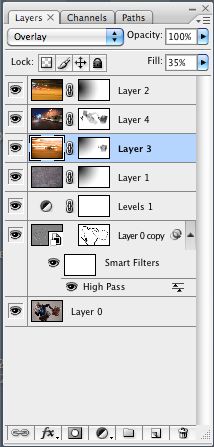
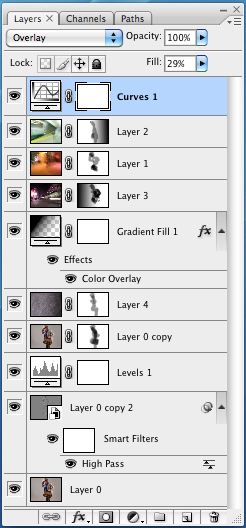
After picking the layer images in Adobe Bridge I opened them in Photoshop, and automatically set the blending mode to Overlay. This allowed me to preview how the different light and color elements of the layers would work together, and how the flow of the lines of the layers would mix with the base portrait. At this point, the image just looks like a couple of images stacked on top of one another, and that lazy sort of image production just doesn’t do it for me. To properly blend the images you need to play around with the blending modes, like Overlay, Softlight, etc. and also change the Fill and begin masking individual areas with a paint brush or gradients. To mask a layer by painting simply select the layer and then choose the layer mask icon. When you now paint with black, the layer will be masked (or hidden). You can change the Opacity of the brush to mask the layer gradually with each new brush stroke (the recommended method). When masking in this way I usually use a brush Opacity between 3-20 with a soft brush. This is where I act more like a painter than a photographer, masking and blending the layers uniquely together. I rarely use the entire layer image. Often I use a gradient to mask out half of it, and also paint away most of the layer over the person. I will also add full Color Fill layers (usually set to Overlay blending) to tweak the overall color. Eventually, the final image will then start to come out. To illustrate this process, you find here the secret goldmine of any Photoshop artist, the screenshots of my Layers window on my two favorite images from this set, the Runner and Bourbon St. You can clearly see how the different layers were masked, and what the original layer images looked like before blending.

That’s All

If this sounds complicated don’t be deterred. Essentially all I do here is to mask out the parts of the individual layers which don’t flow well together, and in the end I have an image with all the flow and color vibrancy I desire. The main idea is that the character of the layers complements the base portrait. I save the image and open it up in Lightroom. From Lightroom I play with the colors further, adjust shadow and highlight colors, Vibrance, Clarity, etc. until the final color tones are correct and then I export.

For more info on layers and portraits, check out my Hyper-Realistic Portrait Photoshop Tutorial. This covers the main topics I addressed in this post, but you get to see a screen cast of the whole process.

Analogue Lust: Dark(bath)room Escapades in Photography

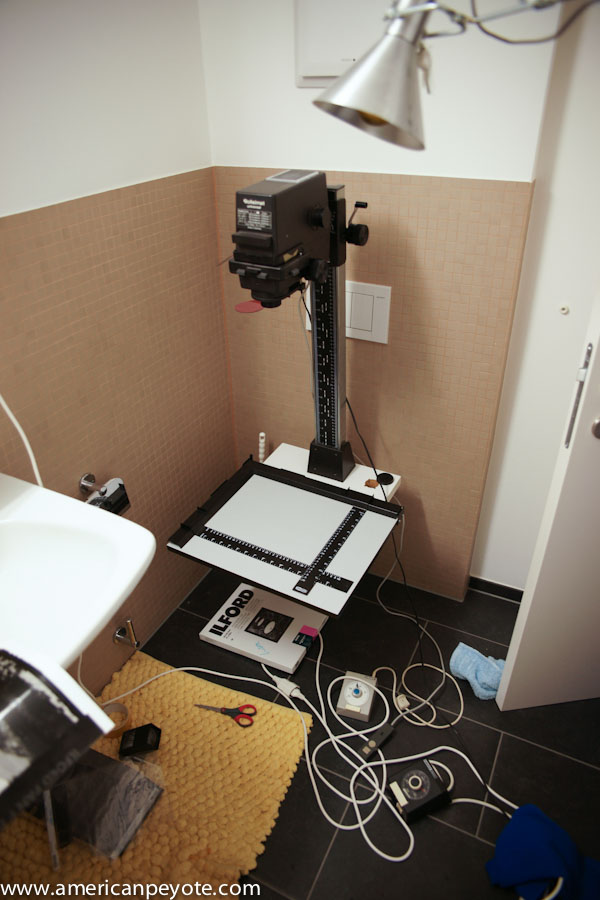
I got into photography a few years before the digital revolution exploded and people everywhere began remarking on the death of film as a capture medium for light painting (er, photography). Some say film is dead – I say film is as dead as painting, which is still a vibrant activity for millions throughout the world. Having a darkroom in my apartment has been a quiet dream of mine for a long time, and recently became a reality (till I had to take a shower). This is a summary of my latest analogue escapades with black and white printing. When you develop your own film and enlarger your own prints, there’s this mystic feeling of having a hand in the total process from image capture to final print. A sense of being able to push and pull your development and watch the prints magically grow from the arid white vastness of the unexposed paper to a finely contrasted representation of reality. It’s the embodied feeling of getting it right in the camera. Cartier-Bresson, the decisive moment, Joey L with a Polaroid and capturing the moment. Anyways, I just moved to a new place and hadn’t setup my digital studio yet.

For the past few weeks I’ve been working with a friend of mine to setup a pinhole camera project for a 6th grade class she’s teaching. We began with a Polaroid pinhole camera, but it’s too expensive to have each kid build a camera with a Polaroid back on it, and you also can’t tell the whole story of how an image is developed, as it’s all contained within the Fuji/Polaroid insta-magic photos. So, instead my friend went back to her roots and decided to have the kids build a traditional pinhole camera using black+white paper as the film, and then create the final image via contact printing. It’s a great project for students, especially in this techno-world of today where every gadget can take photos and then upload your electronic images to Facebook, creating and instantly distributing a perfect copy of a copy of a copy that can be shared and retweeted and posted all over the planet. You lose of course, the uniqueness of the printed image. A printed photo is unique – this transience, this fleeting fleck of uniqueness can be seen and felt in each print you develop by your own hand, because no two will be exactly the same (well, at least the way I do it they’re all unique accidents).

Dark(bath)room Setup

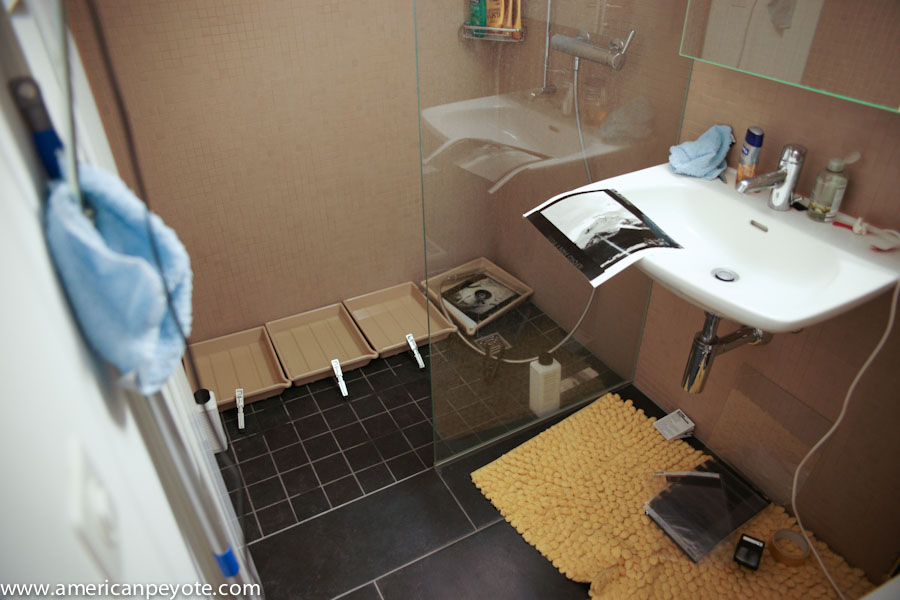
We needed a darkroom setup of course to realize the project. I easily found a Rollei enlarger setup on Ricardo.ch (a Swiss auction site) for 250 CHF with two new packs of Iflord Multigrade paper. It was a no-brainer to pick it up. The enlarger was a classic Rollei, coming direct from Lisa, a photographer in the Zurich area. From HobbyLab.ch we ordered the developer and fixer chemicals. Film may be dead (as some say), but it’s super easy to find everything needed for a darkroom. We took ownership of the enlarger and accessories on a sunny Sunday morning, and spent the rest of the day setting up the laboratory and making prints in the bathroom. We put the developer trays and chemicals in the shower to have some running water. Ideally you don’t want to balance the enlarger on a toilet, but you sometimes need to make do with what you have, which is exactly what we did (thankfully it never fell off).

First Prints

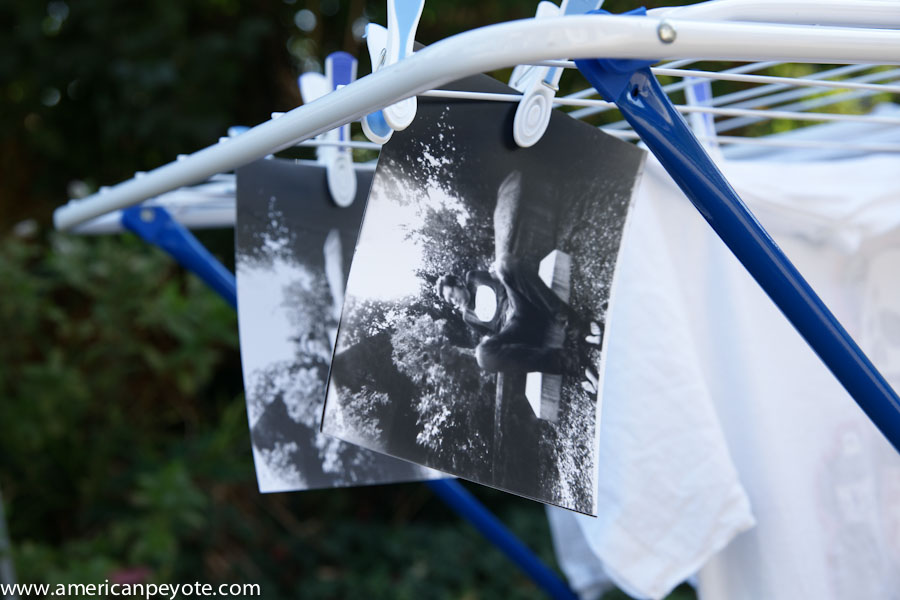
My friend started out doing exposures of me sitting outside with her pinhole camera. This was nothing more than a shoebox with a piece of Iflord paper in the back and a pinhole in the front. This piece of paper was developed (creating the negative) and she created the final positive image via contact printing of the negative pressed flat against a second piece of paper under the light of the enlarger. As it was a wonderful sunny Sunday and I had just done some laundry, we hung the prints out to dry along with the whites. This was my first experience seeing pinhole images like this, and I think they rock. The kids in her class are going to have a fabulous time building their own cameras, doing prints, and learning valuable lessons about optics during the process.

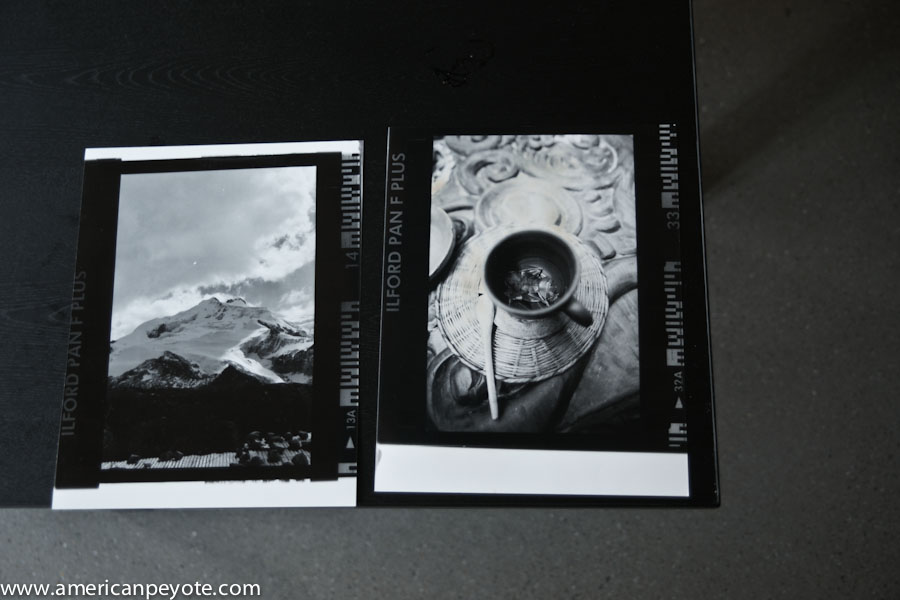
I opted to print images I already had, and pulled out the first black and white negatives I could find, which happened to be some ISO 50 Ilford PanF exposures I had made in Bolivia during a trip back in 2003. This is a high contrast film, and it prints very nicely on Ilford Multi-grade paper. I decided included the film carrier holes in my prints, mimicking those retro-film borders you can apply to your iPhone photos using many random retro-cam apps. Fuck the apps, if you desire ultimate interactivity and user experience then consider a darkroom. Oh, do you have a retina display? I have a retina as well – two in fact, they’re called my eyes. Wow, cool, you can view your images on your iPad – know what’s cooler, looking at the smooth fantastic surface of a new print drying in sun along with your laundry. I also pulled out a Fuji Neopan 120 negative from my favorite place in Berlin, and played around printing images of this club front and sticking them to the bathroom mirror. I love how films all have cool names like PanF, Neopan, Provia, Velvia – all with individual character traits and unique personalities, a concept generally lost in the Canikon pissing matches and pointless megapixel branderbating orgies that dominate too many conversations in the photo circles of the world.

Digital Is Not Worthless

I know there are photographers today who have never touched a piece of film, let alone developed or printed their own images. I love creating images with Photoshop and my Sony 24 mega-beast A900, but it’s not the same as creating in the darkroom. I started out with film, moved on to a film scanner to create files for prints, then went on to digital cameras and then expanded to Photoshop. From Photoshop I went a little analogue – started doing paintings, and now my journey has come full circle back to where I thought would be awesome 15 years ago – doing my own prints in a darkroom. No regrets at any point. Use the technology tools you have as you see fit and never stop exploring.